Twenty years of Googling. That was my default. Open a tab, type some keywords, click around for half an hour, piece an answer together. Then Perplexity showed up and that whole habit just… stopped. Took maybe two weeks. If you’ve ever burned an afternoon clicking ten blue links to figure out one thing, you’ll get why people swear Perplexity AI research changed everything for them. It’s not magic. It’s just better plumbing.
I’ve been on it daily since early 2025. Market research. Fact-checking. Tech deep dives. Even shopping comparisons (I literally used it to pick a fridge last month). It’s not perfect. Nothing is. But you get cited answers fast, and that combo changes what you can actually do in 30 minutes.
What you’re about to read is the workflow I’d give a friend if they showed up at my desk asking. No fluff. No “10 mind-blowing prompts” listicle stuff. Just what works.
What You’ll Learn
- What Perplexity even is, and how it’s different from ChatGPT or just plain Google
- How to use the search modes (and which one fits when)
- How to run Deep Research for stuff that’d normally eat your afternoon
- How Spaces keep multi-day research from turning into chaos
- How to upload your own PDFs and mash them up with web sources
- How to verify what Perplexity tells you, because trust but verify
What You Need
Browser. Email. Twenty minutes if you actually want to follow along. Done.
The free tier is plenty. You don’t need to pay anything to do this guide. Optional later: $20 a month if Pro turns out to be worth it for you. (For most folks who research things regularly? It is. But test first.)
What Makes Perplexity Different
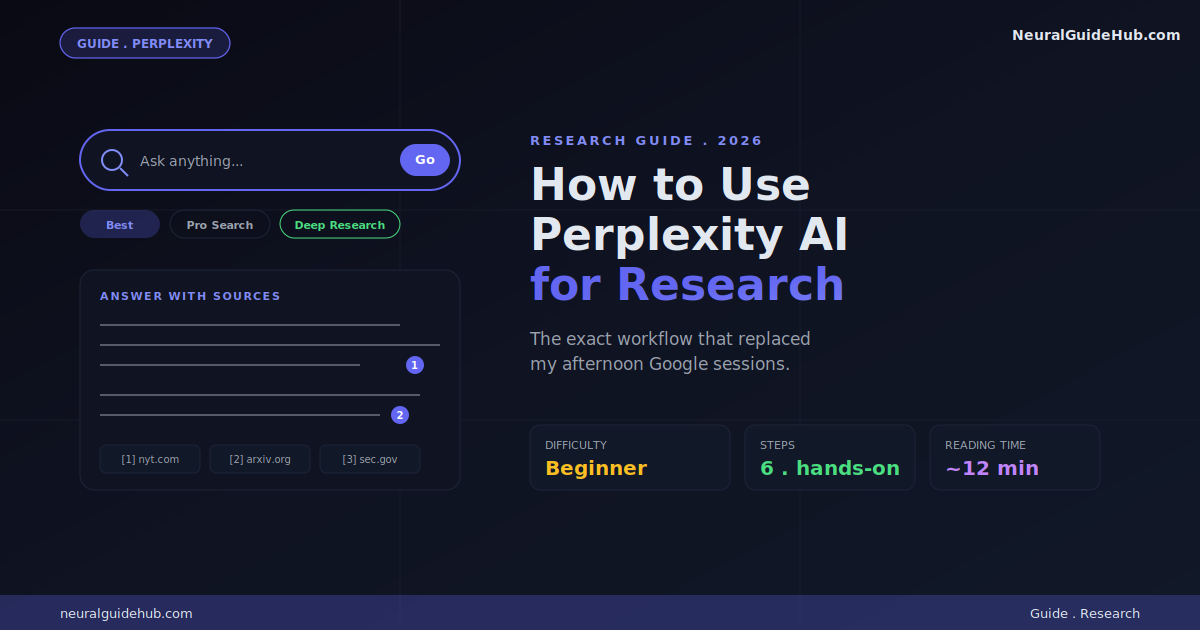
Quick context before we open anything. Perplexity isn’t a chatbot. Not really a search engine either, at least not the old way. It sits in the middle. People call it an “answer engine.” Honestly, that name fits.
Mechanically: you ask a question. It searches the live web. Reads the relevant pages. Writes you back a synthesized answer with little numbered citations everywhere. Click any number, you see the source. Every claim points to something real. Something verifiable.
That’s it. That’s the whole pitch. No knowledge cutoff. No “as of my last training” nonsense. Always current. Always sourced.
Under the hood? It’s running multiple models you’ll probably recognize. Sonar 2 (their own thing), GPT-5.4, Claude Sonnet 4.6, Gemini 3.1 Pro, Nemotron 3 Super. You don’t actually have to think about which one to use most days. The default mode picks for you.
Step 1: Sign Up and Get the Lay of the Land
Go to perplexity.ai. Click “Sign Up.” Email or any social login. Done. You’re in.
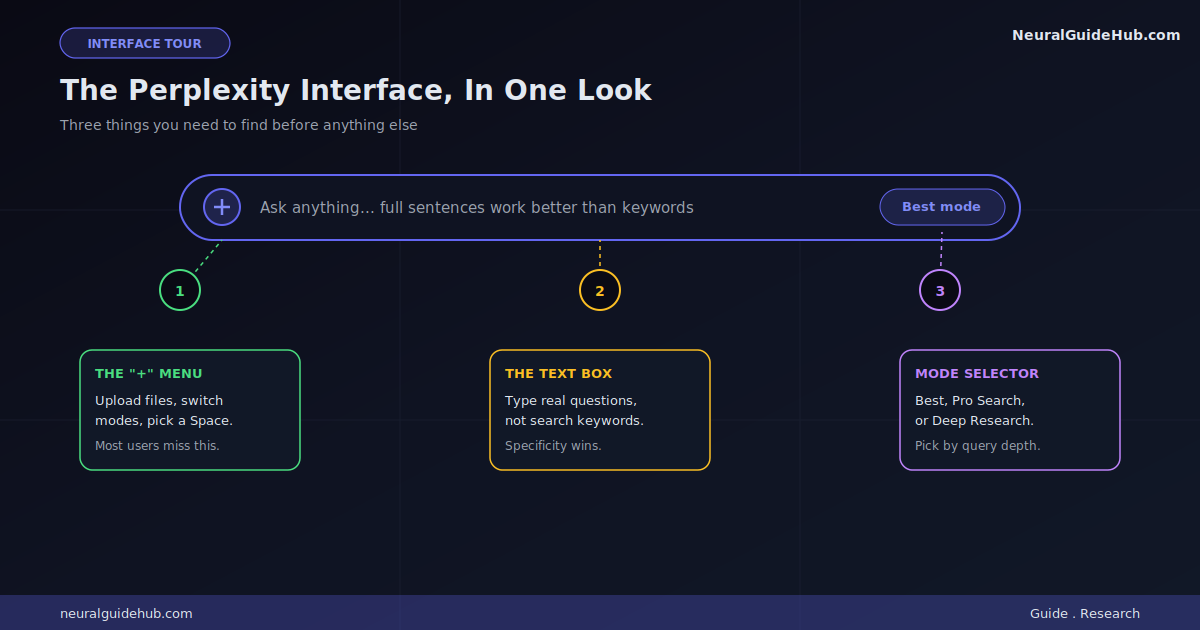
Now look at the search bar. Three things to spot:
- The text box. Type your question. Like a real question. Full sentences beat keywords here, every time.
- The “+” button. Where you upload files, switch modes, pick a Space. People miss this menu constantly.
- The mode selector. Lives inside the “+” menu. Pro Search and Deep Research and the rest are all in there.
Try this query just to see what it feels like:
What are the most important changes to AI safety regulations in the EU since 2024?
Hit enter. You’ll get an answer. Numbered citations everywhere. Click one. See where the claim came from.
That little click is the whole superpower. You can verify everything. That’s the whole game.
Step 2: Master the Search Modes
So Perplexity has a few search modes. Most people use one and miss the rest. Don’t be most people.
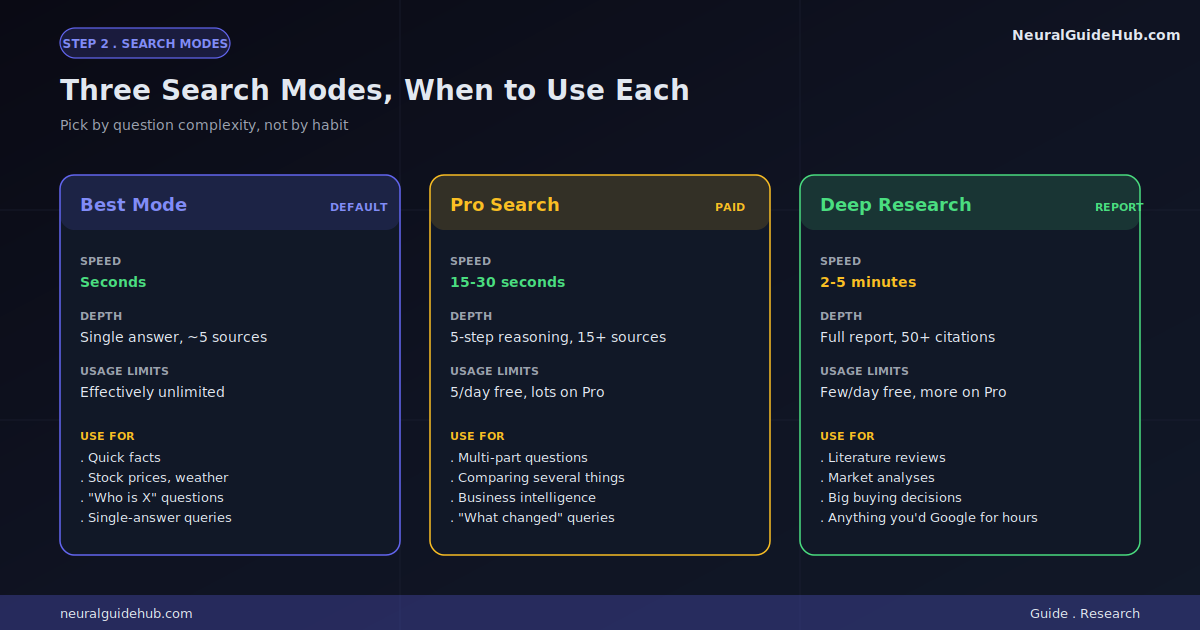
Best Mode (Default)
This is what runs when you just type and hit enter. Quick. Auto-picks the best model for your query. No real usage limit in normal weeks.
When to use it: regular questions. “What did Tesla close at yesterday?” “Who runs Anthropic these days?” Single-answer factual stuff. Quick lookups.
Pro Search
Pro Search is the upgrade. Turn it on, Perplexity does multi-step reasoning. Runs your question through up to five sub-searches. Reads way more sources. Writes a deeper answer.
Free users get 5 Pro searches a day. Pro subscribers get a lot more. Save them for questions that earn it.
When to use: anything with multiple parts. Like:
Compare the monetary policy approaches of the Fed, ECB, and Bank of Japan in 2026, and explain what economists predict for interest rates by year-end.
Three-part question. Best mode would give you a shallow answer. Pro Search will actually break it down and address each chunk separately.
Deep Research
Different beast entirely.
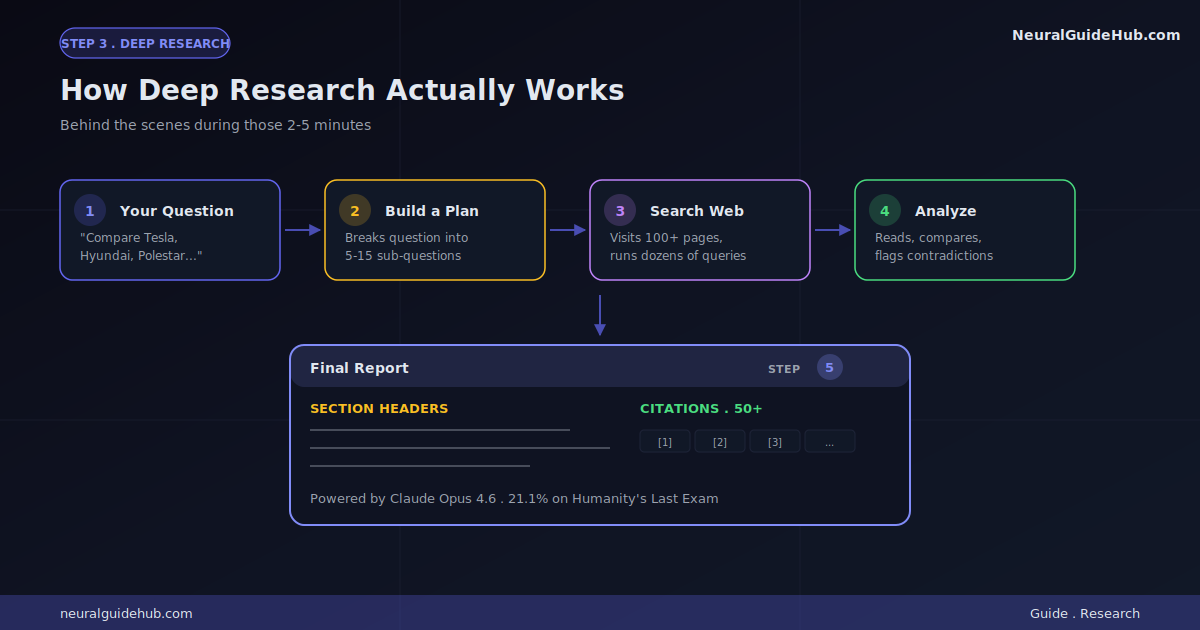
Instead of an answer in seconds, Deep Research takes 2 to 5 minutes. Acts like a research assistant. Runs dozens of searches. Reads hundreds of pages. Cross-references stuff. Then writes a structured report with sections, headings, 50+ citations.
Currently runs on Claude Opus 4.6, which is one of the strongest reasoning models out there right now.
Last week I tested it on this prompt: “What are the long-term cardiovascular effects of intermittent fasting based on studies from 2020 to 2026?” Came back with what felt like a 12-page report. Sub-sections by population. Citations to specific journals. Even a section called “Conflicts in the literature.” That kind of thing used to eat half my day.
Free tier gets a few Deep Research queries per day. Pro and Max get a lot more. Use them on stuff that actually matters.
Step 3: Use Deep Research the Smart Way
Deep Research is the feature that justifies paying for Pro all on its own. But it has a learning curve.
The trick? Specificity.
Vague questions get vague reports. Specific questions get genuinely useful ones. Sounds obvious. Most people still mess it up.
Bad prompt:
Tell me about electric vehicles.
You’ll get a Wikipedia-flavored overview. Useless if you’re trying to make a real decision.
Good prompt:
Compare the 2026 model year Tesla Model Y, Hyundai Ioniq 5, and Polestar 4 across real-world range, charging speed at 350kW DC fast chargers, infotainment usability, and 5-year total cost of ownership in the US. Cite owner reports and recent reviews where possible.
See the difference? You’re spelling out what you care about. The categories. The geography. The time frame. What kind of sources you trust. Now Deep Research has actual constraints to work with.
Step 4: Set Up Spaces for Long-Running Research
Spaces. Most people don’t even find this feature until like month two. Then they wonder how they survived without it.
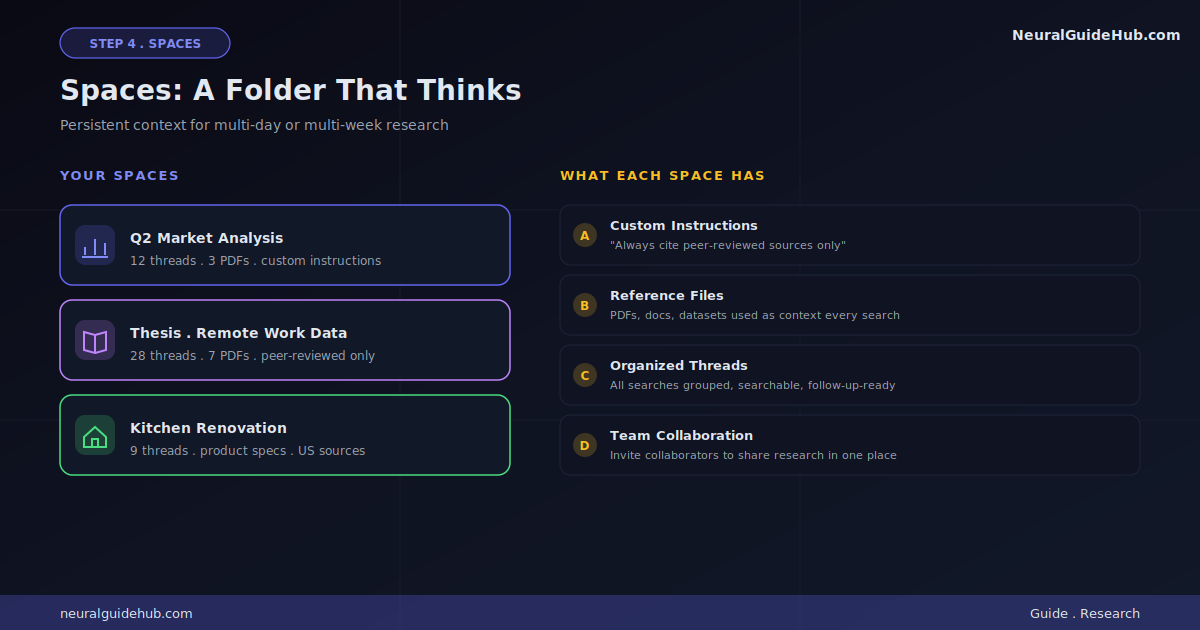
A Space is basically a folder for related research. But way smarter. You can:
- Set custom instructions that apply to every query inside (“always cite peer-reviewed sources only” or “respond in formal academic English, no fluff”)
- Upload reference files Perplexity uses as context for every search in the Space
- Keep all your threads from one project organized in one spot
- Invite collaborators if you’re working with a team
Here’s how I actually use them. Every multi-day project gets its own Space. Right now I’ve got three running: “Q2 market analysis,” “thesis: post-pandemic remote work data,” and “kitchen renovation.” Each has its own custom instructions. Each has its own uploaded reference docs.
Setup is fast. Click “Spaces” in the left sidebar. Hit “Create a Space.” Name it. Write your custom instructions. Upload any reference files. Done. Every search inside that Space inherits all that context automatically.
This one feature is why I rarely lose research threads anymore. Genuinely.
Step 5: Upload Files and Mix Your Own Sources
You’re not stuck with web sources. Perplexity takes PDFs, CSVs, audio, video, even images. Treats them as part of your search context.
Some real examples:
- Got a 200-page company report? Upload. Then ask:
Summarize the key risks mentioned in the appendix and cite the page numbers. - Got an academic paper? Upload. Ask:
What are the main methodological weaknesses in this study, and what would strengthen it? - Got a meeting recording? Upload. Ask:
List every action item by speaker, with timestamps.
The kicker: you can combine your own files with live web search at the same time. So you can ask How does the strategy in this uploaded business plan compare to current 2026 market data? and Perplexity pulls both your doc and fresh web sources, then synthesizes across them.
That hybrid mode is genuinely powerful. I haven’t seen another tool do it as cleanly.
Step 6: Verify Sources Like a Journalist
This is the part most people skip. And it’s the most important part. So pay attention.
Perplexity is great. It is not infallible. It hallucinates sometimes. It cites the occasional dubious source. It sometimes paraphrases something and loses the nuance in transit.
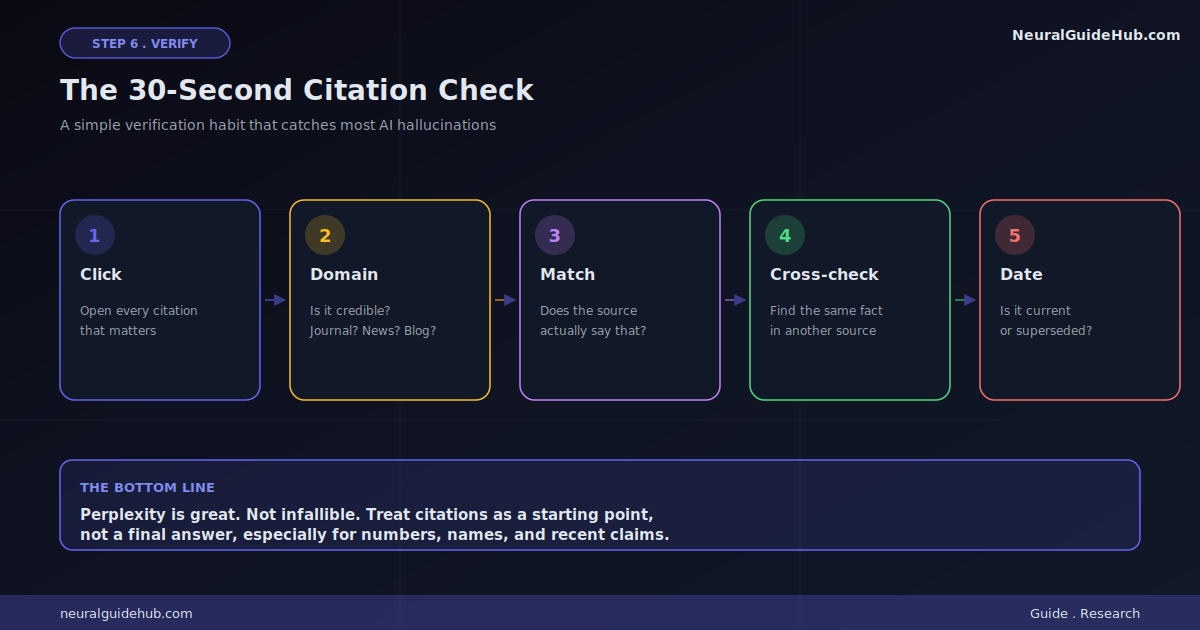
So before you actually use anything Perplexity tells you for something that matters, do this:
- Click every citation. Yes, every single one. Or at least the ones supporting claims you actually need to be right about.
- Check the source’s domain. Is it a respected publication? A peer-reviewed journal? A random blog with a sketchy About page? A press release? Sources are not equal.
- Read the original passage. Make sure Perplexity’s summary actually matches what the source said. Context gets lost more often than you’d think.
- Cross-check critical numbers. If a stat matters, find it in a second source independently. Numbers are where AI tools mess up most.
- Watch the dates. Perplexity sometimes cites old articles that have been superseded. Always check when something was published.
Sounds like a lot. With practice it takes maybe 30 seconds per critical claim. Worth it. The alternative is publishing or deciding something based on a hallucination, and that’s a way worse problem.
Pro Tips
- Ask follow-ups in the same thread. Perplexity keeps conversation context. So you can drill down. Ask broad. Then “now zoom in on point 3.” Then “find me three counterexamples to that claim.” Way more powerful than starting fresh every time.
- Use Academic Focus for serious work. Pro users have a mode that limits search to peer-reviewed sources via Semantic Scholar’s database. If you’re writing a thesis or a fact-heavy article, this isn’t optional. It’s the difference between citing a Reddit post and citing a real journal.
- Switch models on hard questions. Pro lets you pick the underlying model manually. For nuanced analysis, try Claude Sonnet 4.6. For coding, try GPT-5.4. The default is fine but not always optimal.
- Save important threads as Pages. Pages turns any research thread into a formatted, shareable document. Perfect for sharing summaries with non-Perplexity users without losing the citations.
- Click the “+” menu. Most users never do. Inside: Deep Research. Model Council (Max only). Create files and apps. Learn step by step. The power features all hide here.
- Use it as a fact-checker on other AIs. When ChatGPT or Claude gives you a confident-sounding fact, paste it into Perplexity with “verify this claim and cite.” It’s surprisingly good as a second opinion.
Common Mistakes to Avoid
- Treating it like Google. Don’t type keywords. Type questions. Real ones. “Best laptop 2026” gives you garbage. “What’s the best 14-inch laptop under $1500 for video editing in 2026, with at least 32GB RAM?” gives you something useful.
- Skipping the citations. If you don’t click sources, you’re trusting an AI blindly. The whole point of Perplexity is the verifiability part. Use it.
- Burning Pro searches on simple stuff. Best mode handles 80% of queries. Save Pro Search and Deep Research for questions that actually need them. Otherwise you’ll hit your daily limit and feel cheated.
- Ignoring date specificity. “What’s the latest on X” is vague. “What changed about X between January 2026 and now” is precise. Adding dates explicitly makes a real difference.
- Not using Spaces for repeat topics. If you research the same domain regularly (your job, your hobby, your thesis), set up a Space. The custom instructions alone are worth the two minutes.
Next Steps
If you’re brand new, here’s exactly what I’d do this week:
- Sign up. Run five different real questions through Best mode. Just feel the rhythm.
- Try one Pro Search on something multi-part you actually need to know.
- Run one Deep Research on a topic you’d normally Google for two hours.
- Create one Space for a project you’ve got going.
- After a week, decide whether the Pro plan ($20) earns it for you. Most regular researchers say yes within a month.
The thing nobody tells you about Perplexity AI research? It doesn’t replace your thinking. It just removes about 80% of the grinding research busywork. The thinking part is still on you. Which, honestly, is how it should be.
If you start using it daily, you’ll probably notice the same shift I did. You stop asking “where can I find this.” You start asking sharper, better questions in the first place. The tool teaches you to think more like a researcher, not less. That part actually surprised me.