Cursor is great. Most developers I know use it. But it’s not the only game in town, and depending on what you’re actually building, it might not even be the best fit. The space of Cursor alternatives has gotten genuinely competitive in the last six months. Some tools are built for developers who already know what they’re doing. Others are built for people who don’t want to learn what a CLI is. Knowing which one matches your situation can save you a lot of wasted subscription dollars.
I’ve spent real time with all six tools in this comparison. Built actual things in each. Hit walls in some, got pleasantly surprised by others. What follows is the rundown I’d give a friend who asked “which one of these should I try first.”
What Actually Matters When Picking an Alternative
Before we get into the tools, here’s what I’d actually pay attention to. Most “best of” lists skip this part:
- Codebase awareness. How much of your project does the tool actually understand? “Just the open file” is a very different experience from “the whole repo at once.”
- Where it lives. Some are full IDE replacements. Some are extensions for the editor you already use. Some run in a browser. Some are pure agents in a terminal. The right shape depends on your habits.
- Doing vs assisting. Some tools want to do the work for you. Others want to make you faster while you do it yourself. There’s no right answer, but there is a wrong answer for each person.
- Model flexibility. Some let you switch between Claude, GPT, Gemini. Others lock you to one provider. If you obsess over benchmarks, this matters.
- Pricing reality. The sticker price isn’t the whole story. Token consumption, included models, and add-on costs all add up differently.
Now let’s get into the actual tools.
The 6 Best Cursor Alternatives
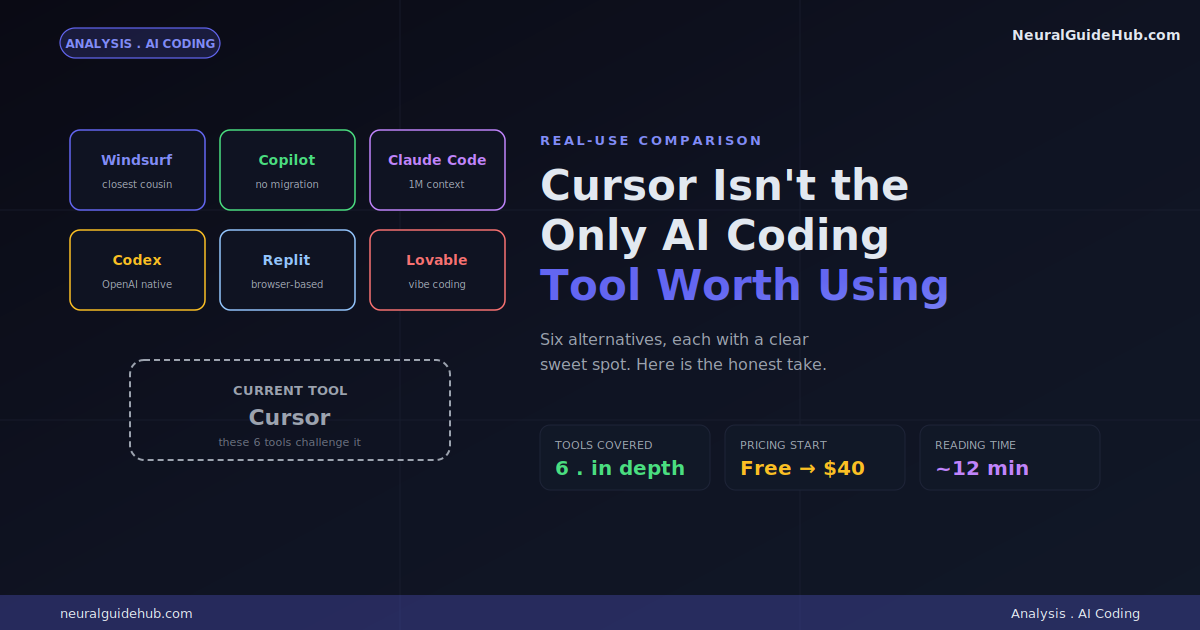
Quick map before we dig in:
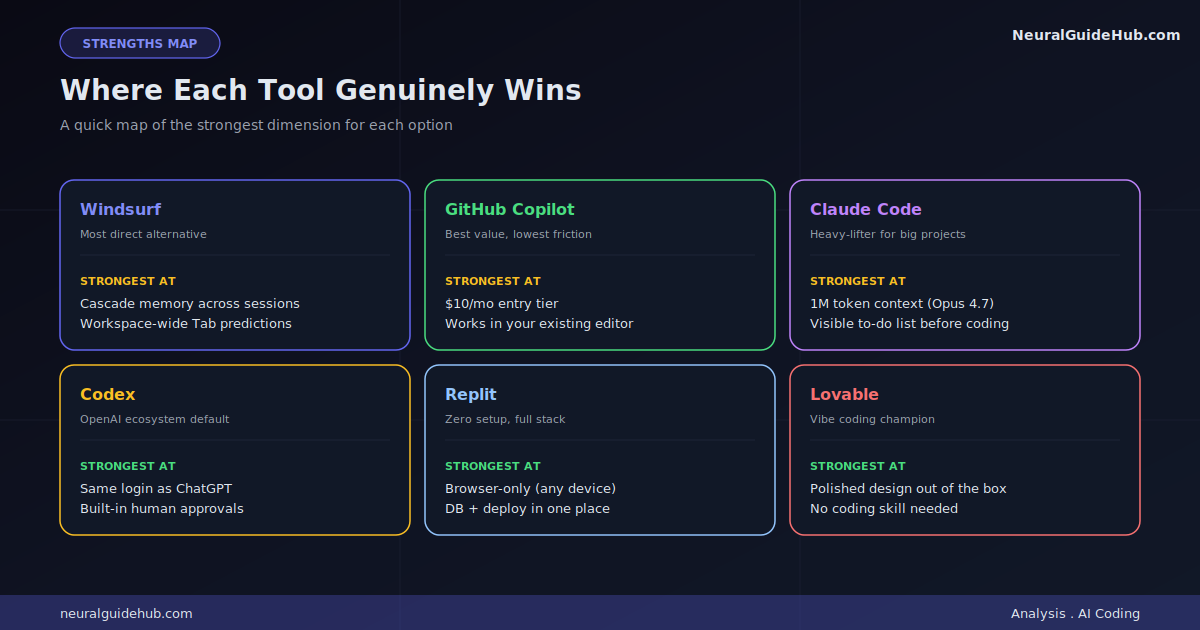
- Windsurf for the closest direct alternative
- GitHub Copilot for staying in the editor you already use
- Claude Code for handling massive codebases
- Codex for teams already deep in the OpenAI ecosystem
- Replit for browser-based building from any device
- Lovable for shipping a working app without writing code
1. Windsurf: The Closest Cousin
If you wanted to clone Cursor’s DNA and ship it as a separate product, you’d basically get Windsurf. (Originally called Codeium, in case the name change confuses you.) Both are forks of VS Code. Both have agentic chat. Both target the developer who wants AI in their editor without losing the editing part.
What makes Windsurf interesting on its own merits is Cascade, its agent mode that maintains memory of your project across sessions. You don’t have to re-explain your stack, your conventions, or your auth setup every time you open a new chat. Their Tab completion (called Supercomplete) also pulls from the entire workspace rather than just the open file. The predictions feel different. Sometimes better, sometimes weirder.
The honest take: Windsurf vs Cursor often comes down to which one happens to click for your codebase. I’ve seen developers split down the middle on this. If Cursor isn’t working for you, Windsurf is the most natural switch since the muscle memory carries over.
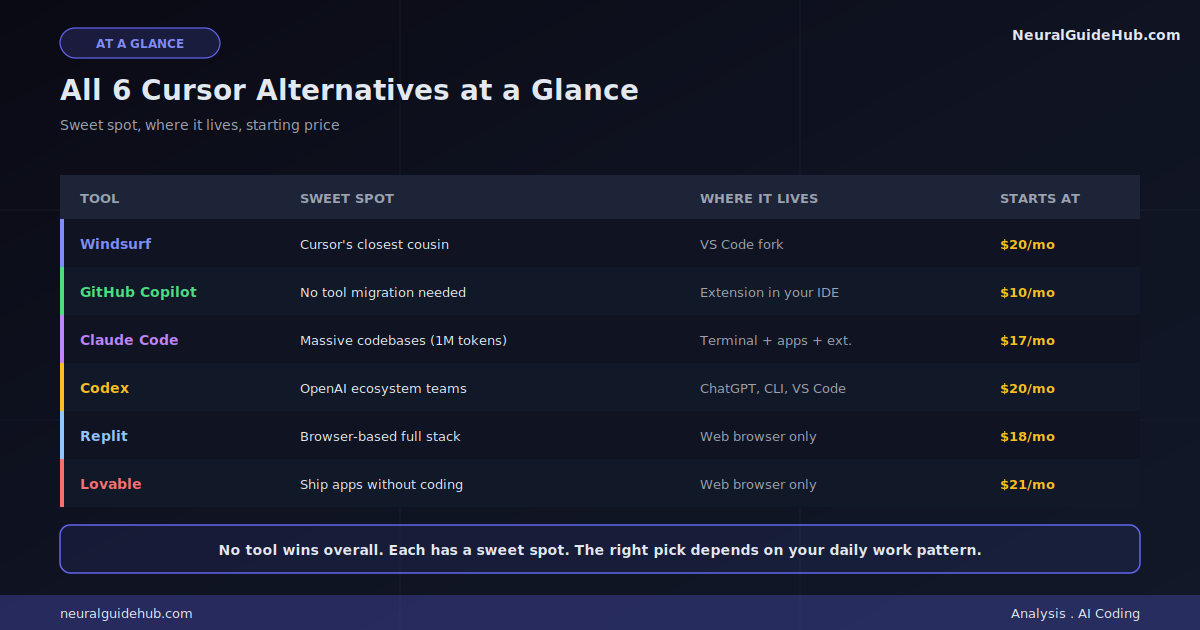
Pricing: Free tier with limits. Pro is $20/month. Teams is $40/user/month.
2. GitHub Copilot: The Lowest-Friction Pick
This is the one to grab if you don’t want to change tools. GitHub Copilot is an extension. You install it inside VS Code, JetBrains, Visual Studio, Vim, whatever you’re already in. You don’t migrate. You don’t relearn keybindings. You just get inline completions, chat, multi-file edits, and an agent mode without rebuilding your setup.
The price is also tough to argue with. $10 a month for Pro is half of what most alternatives cost. The free tier (2,000 completions and 50 chat requests monthly) is actually usable for testing whether it fits your workflow.
Where Copilot loses ground: codebase context. Cursor’s multi-file awareness is more cohesive when you’re navigating a complex project with many connected files. Copilot feels like a great assistant working in your peripheral vision. Cursor (or Claude Code) feels like a collaborator who actually read the whole project. For small to medium projects, Copilot is fine. For sprawling codebases, you’ll feel the limit.
Pricing: Free for limited use. Pro is $10/month. Pro+ is $39/month with top-tier models.
3. Claude Code: The Heavy-Lifter
Claude Code is in a different category from the others. It’s not really an editor. It’s a coding agent that runs in your terminal, the Claude desktop app, the browser, or via VS Code and JetBrains extensions. You give it a goal. It plans the work. Reads your codebase. Writes code. Runs tests. Commits to Git. You watch.
The thing that genuinely separates it from the field is the 1 million token context window when you’re using Opus 4.7. That means it can actually map your entire codebase in one pass. It traces data flow across files. It identifies where bugs are coming from instead of just guessing. For large refactors? Nothing else really compares right now.
The other underrated detail: it builds a visible to-do list before writing code. You can redirect it before it does something expensive to undo. Run /init in a project and it generates a CLAUDE.md memory file that persists context across sessions. That’s the kind of thing you wish more tools did.
The downside is the learning curve. CLI-based tools have a higher barrier than IDEs. The free tier doesn’t include Claude Code (you need at least the $17/month Pro plan), so testing it costs something.
Pricing: Pro is $17/month annually. Max tiers go up to $200/month. No free Claude Code.
4. Codex: The OpenAI Default
If your team is already deep in the OpenAI ecosystem, Codex is the path of least resistance. Same login. Same billing. ChatGPT Plus subscribers get access to it included. No new account to create, no new payment method to add.
The interface feels different from Cursor’s IDE-based layout. Cleaner, less intimidating, more chat-like. I’ve seen non-technical coworkers get further in Codex than they ever did in Cursor, just because the surface is more familiar.
You can use it in the ChatGPT interface at chatgpt.com/codex. In your terminal via the Codex CLI. Inside VS Code via the GitHub Copilot extension. There’s also a Codex mini for faster, cheaper edits when the full model is overkill.
The catch is that Codex is locked to OpenAI models. That’s fine if GPT-5.5 is your daily driver anyway. It’s a problem if you want the option to compare against Claude or Gemini. Heavy users also tend to push past the ChatGPT Plus tier into the $100/month Pro plan or direct API usage.
Pricing: Limited on free. Included with ChatGPT Plus ($20/month) and Pro ($100/month). API priced per use.
5. Replit: The Browser-Native Builder
Replit operates in completely different territory from the others. Where Cursor assumes you know what you’re doing, Replit assumes you maybe don’t. And it’s built accordingly.
The whole thing runs in a browser. No installation. Works on any device including a Chromebook. You describe what you want to build. The Agent asks a few clarifying questions. Then it scaffolds the frontend, backend, database, and deployment all in one environment. You go from idea to deployed prototype in an afternoon, sometimes less.
Most AI builders just start coding immediately. Replit’s Agent actually asks what you’re building first. That sounds small but it dramatically reduces the “build the wrong thing” problem.
The trade-off is control. Replit makes a lot of decisions on your behalf. The tech stack, the dependencies, how things sync to GitHub. If you care about those choices, you’ll feel boxed in. The pattern many developers I know use: build the first working version in Replit because it’s zero-friction, then export to GitHub and migrate to Cursor when complexity grows.
Pricing: Free Starter tier with limited Agent credits. Core is $18/month annually for full Agent features.
6. Lovable: The Vibe Coding Pick
Lovable is for the person who has an idea and wants to ship an app, not learn programming. It earns its place at the top of most “vibe coding” lists for one reason: the output is shockingly polished out of the gate.
You write a prompt. Lovable explains its implementation plan before writing any code. Then it builds you a working app with a frontend that actually looks designed, not generic. You usually don’t even have to ask for “good design.” It just shows up.
For first-time builders, that gap between “I described it” and “I have something to show people” is the difference between shipping and giving up. Lovable closes that gap better than anything else I’ve tested in this category.
What gets you in trouble: credit burn. Lovable uses a credit system, and you’ll hit your monthly limit faster than you’d think. The free tier (30 credits, max 5 per day) is barely enough to test. You’ll want at least the $21/month tier to actually build anything real. It also integrates with Supabase for auth and storage, plus GitHub for version control. Standard stack, no surprises.
Like Replit, the smart pattern is to build the first version in Lovable, then move into Cursor or another IDE when you want more control. Don’t try to build everything in Lovable. It’ll work, but you’ll burn through credits painfully.
Pricing: Free with 30 monthly credits. Paid tiers from $21/month annually.
How to Pick Yours
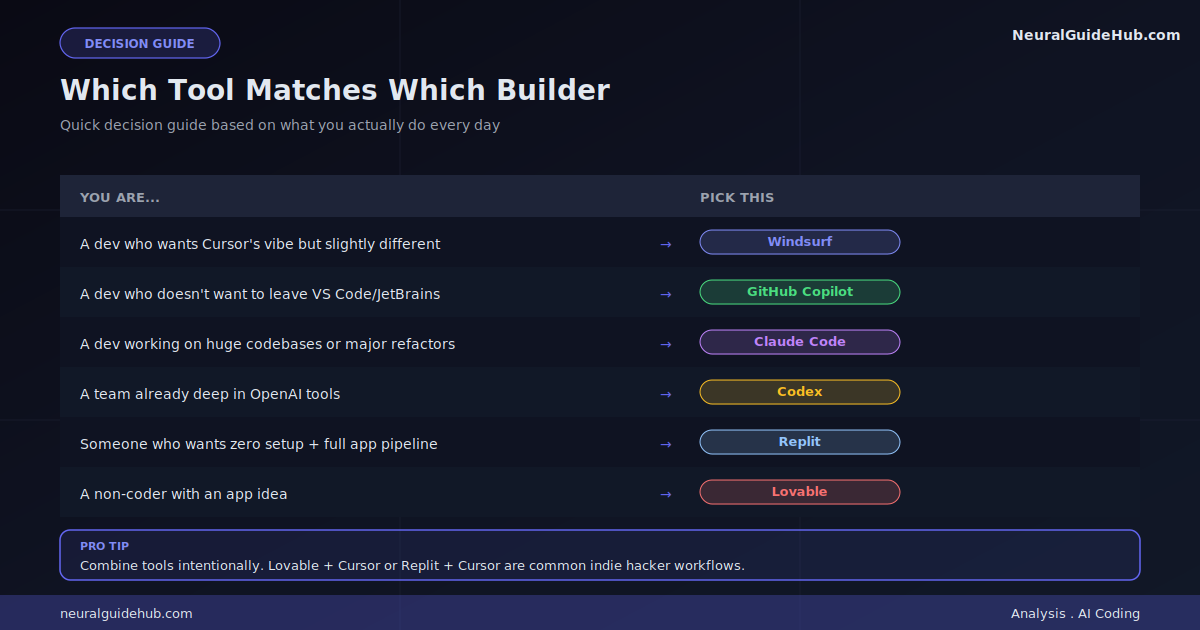
The honest decision tree, based on what you actually do:
- You’re a developer who wants Cursor’s vibe but slightly different: Try Windsurf.
- You don’t want to leave VS Code/JetBrains/whatever: Get Copilot.
- You work on huge codebases or do major refactors: Claude Code.
- Your stack is already OpenAI everything: Codex.
- You want zero setup and a full app pipeline: Replit.
- You don’t really code but want to ship an app: Lovable.
The Combinations Worth Knowing
You don’t have to pick just one. Some combos work really well:
- Lovable + Cursor: Build the first version in Lovable, polish in Cursor. The most common indie hacker workflow right now.
- Replit + Cursor: Same pattern. Browser prototype, then desktop refinement.
- Claude Code + Cursor: Claude scaffolds, Cursor does the surgical edits. Install the Claude Code extension inside Cursor to skip the second app.
- Copilot + ChatGPT/Claude: Copilot for fast inline help, the chat tool for deeper conversations and architecture decisions. Cheap combo if you’re budget-conscious.
One thing to avoid: running two tools that edit the same files at the same time. They fight. I once watched Claude Code wait 10 minutes before telling me it couldn’t make changes because Cursor kept editing the file underneath. Pick a primary tool per session. Switch deliberately.
The Bottom Line
None of these Cursor alternatives is universally better than Cursor. They’re each better at specific things. The right answer depends on which “specific things” describe your daily work.
If you’re feeling genuinely stuck on Cursor, my advice is simple: pick the alternative that matches your gap most directly. Try it for two weeks. If it sticks, switch. If not, you’ve got better data for the next decision.
The bigger pattern worth noticing: AI coding tools are differentiating fast. The era of “one tool for everything” is ending. The developers who get ahead in the next 12 months will be the ones who learn to mix tools intentionally instead of loyally sticking to one. Pick what fits the job in front of you. Switch when the job changes.
Whatever you pick, remember: practice beats analysis. An afternoon of actually using a tool tells you more than a week of reading about it. Pick one. Build something small. Decide from there.