Pick the wrong AI coding tool and you’ll burn $200 a month for something that fights how you actually work. Pick right and you’ll wonder how you ever shipped anything before. The Claude Code vs Cursor debate isn’t really about which one is “better.” It’s about which one matches the kind of developer you want to be six months from now. I’ve used both as my main tools for the last year, switched between them constantly, and broken both in ways the docs don’t cover. Here’s what I’d tell a friend who’s deciding right now.
Quick warning before we dig in: the obvious answer (just use both) sounds smart but doesn’t actually solve the decision. You still have to pick which one becomes your daily driver. The other becomes the tool you reach for when the daily driver isn’t working. So this comparison is really about the daily driver question, and I’ll get to “use both” at the end.
What These Tools Actually Are
Quick context if you’re new to either:
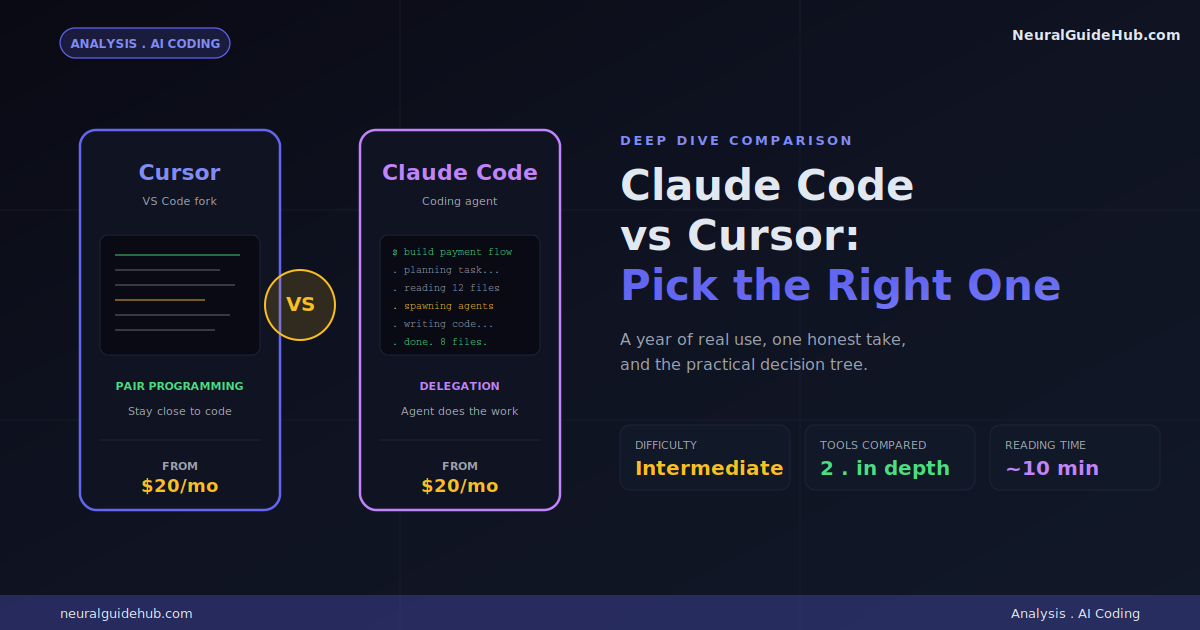
Cursor is a code editor. Specifically, it’s a fork of VS Code with AI baked into every layer. It looks and feels like the editor you already know. You write code. AI watches and helps. You stay close to what’s happening on screen.
Claude Code is a coding agent. You run it from a terminal, the desktop app, the browser, or as a VS Code extension. You type a request in plain English. It plans, codes, tests, and reports back. You don’t have to write a single line yourself if you don’t want to.
That’s the real split right there. One tool puts AI inside your editing flow. The other replaces the editing flow entirely. Everything else flows from that core difference.
The Philosophy Difference Most Reviews Miss
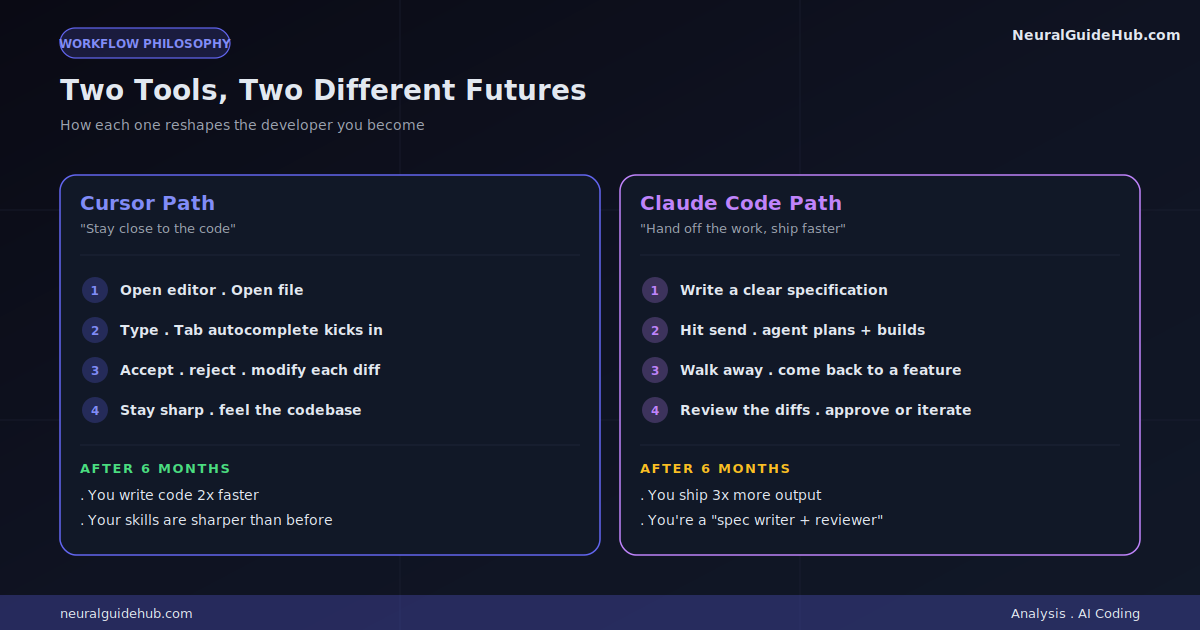
Here’s the thing nobody talks about clearly enough. Cursor wants you to stay sharp. Claude Code wants you to ship faster.
Use Cursor heavily and your skills sharpen. You read the AI’s suggestions. You accept some, reject others, modify others. You see every diff. You feel the codebase in your hands. After six months, you’re a better developer than you were going in. You also write code roughly twice as fast.
Use Claude Code heavily and your output skyrockets. You think in tasks, not lines. You write specs, not code. You ship features in an afternoon that used to take a week. After six months, you’ve built three times as much. You also might not remember how parts of your codebase work without asking the agent first.
Neither outcome is bad. They’re just different futures. Worth knowing which one you’re signing up for before you commit to a tool.
Where They Actually Differ in Practice
Forget the marketing. Here’s what changes in your actual day:
How You Start a Task
In Cursor: you open the editor. Open the relevant file. Start typing. Tab autocomplete kicks in. You shape the work as it happens. The cursor is literally where you are.
In Claude Code: you write a prompt. “Add a payment flow to the checkout page using Stripe, with proper error handling and loading states.” You hit send. You walk away. You come back to a working implementation across multiple files.
One feels like driving. The other feels like dispatching.
How You Handle Mistakes
Cursor mistakes are usually local. AI suggested something weird. You see it instantly. You delete it. Move on. Total damage: 30 seconds.
Claude Code mistakes can compound. The agent confidently builds the wrong thing across 12 files. You don’t notice for an hour because you weren’t watching. Now you’re either rolling back or surgically extracting the parts that worked. Total damage: half a day, sometimes more.
This is why specifications matter way more with Claude Code. Vague prompts get you vague problems at 10x scale.
How Context Works
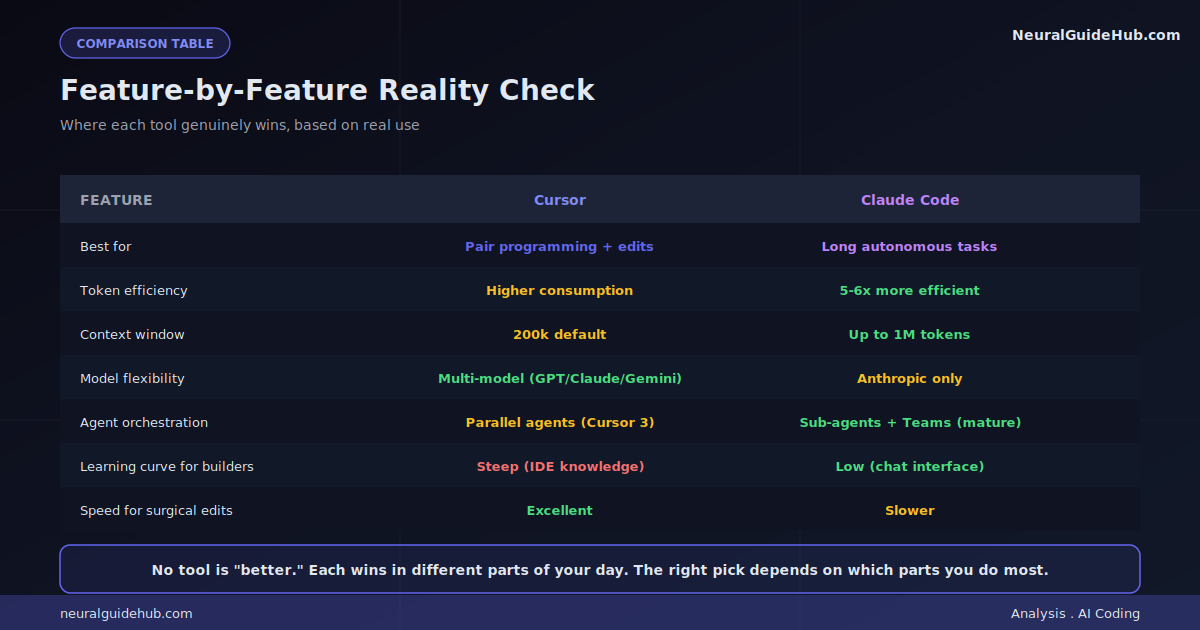
Cursor indexes your codebase silently. You can pull files into context with reference tags. The 200k default context window is fine for most tasks. Max Mode extends it but eats tokens fast.
Claude Code’s context handling is one of its best features. It manages the window automatically, pulling in what’s needed, dropping what isn’t. With Opus 4.7, you get up to 1 million tokens. That means you can hand it an entire codebase and have a real conversation about architecture, not just snippets.
For large refactors? Claude Code wins clearly. For surgical edits in a known file? Cursor wins.
The Token Efficiency Gap Nobody Mentions
This is the comparison point that almost nobody covers honestly. Token consumption.
Independent benchmarks have shown Cursor consuming roughly 5-6 times more tokens than Claude Code for identical tasks. Same problem. Same level of output. Wildly different bills at the end of the month.
The reason is architectural. Claude Code’s harness was built from scratch around efficient context use. It’s brutal about dropping stuff that doesn’t need to be in the window. Cursor’s approach pulls more context to give the model better autocomplete and inline edit suggestions, which costs tokens.
Why does this matter? Because both tools start at $20 a month, but what you actually get for that $20 is very different. Cursor users hit usage limits faster on identical workloads. The Pro tier feels like an entry ticket more often than a full subscription.
The Cursor 3 Identity Shift
Cursor saw what was happening with agent-first tools and shipped Cursor 3 with a dedicated agent workspace. It’s a separate surface from the IDE. Looks more like a chat-driven dashboard than an editor.
You can run multiple agents in parallel. Each on a different task. Each with different context. The right sidebar shows you Git, an integrated browser, a terminal, and a file editor when you need them. There’s even a “/best-of-n” command that runs the same prompt across multiple AI models so you can compare outputs.
This is Cursor catching up to where Claude Code already lives. The execution is good. The orchestration features aren’t as mature yet, but they’re being shipped fast.
The interesting question: is this the future of Cursor or a side product? My read is they’re slowly pushing the agent workspace as the new default. The traditional IDE experience may become the secondary surface within a year.
Model Flexibility: A Real Tradeoff
This one cuts both ways depending on what you value.
Cursor is model-agnostic. You can switch between Claude Opus 4.7, GPT-5.5, Gemini 3.1 Pro, DeepSeek, and their proprietary Composer 2 model. New flagship lands? You can try it the same week. If you obsess over benchmarks, this is huge.
Claude Code is locked to Anthropic models. Haiku 4.5, Sonnet 4.6, Opus 4.7. That’s it. No GPT. No Gemini. No swapping.
For most coding tasks today, Anthropic models are at or above the frontier anyway. The “lock-in” matters less than it sounds. But if you specifically want the option to test new models as they ship, Cursor wins.
One nuance worth knowing: Claude Code’s harness is tuned specifically for Anthropic models. Pulling them out and putting GPT in wouldn’t just be a config change. The whole orchestration system is built around how Claude reasons. That’s part of why the token efficiency is so different.
The Pricing Reality
Both start at $20 a month. That’s where the simplicity ends.
Cursor’s pricing has been turbulent. They’ve changed how credits work mid-cycle in ways that surprised users. Some teams reported burning through a month’s quota in less than a week after one of these adjustments. The communication around these changes hasn’t been great either.
Claude Code lives inside the Claude subscription tiers. Pro is $20. Max 5x is $100. Max 20x is $200. There was a moment earlier this year when Anthropic floated removing Claude Code from the Pro tier entirely, which got reverted within 24 hours after backlash. The pattern suggests both companies are still figuring out how to price agentic AI sustainably.
The honest read: $20 is increasingly an entry ticket, not a full subscription. Heavy users on either tool eventually hit walls and either upgrade or switch to API billing. If you know you’ll be running multi-hour agent sessions daily, jump to a higher tier sooner than you think you should.
Which One Should You Pick
Here’s the honest decision tree I give people who ask me directly:
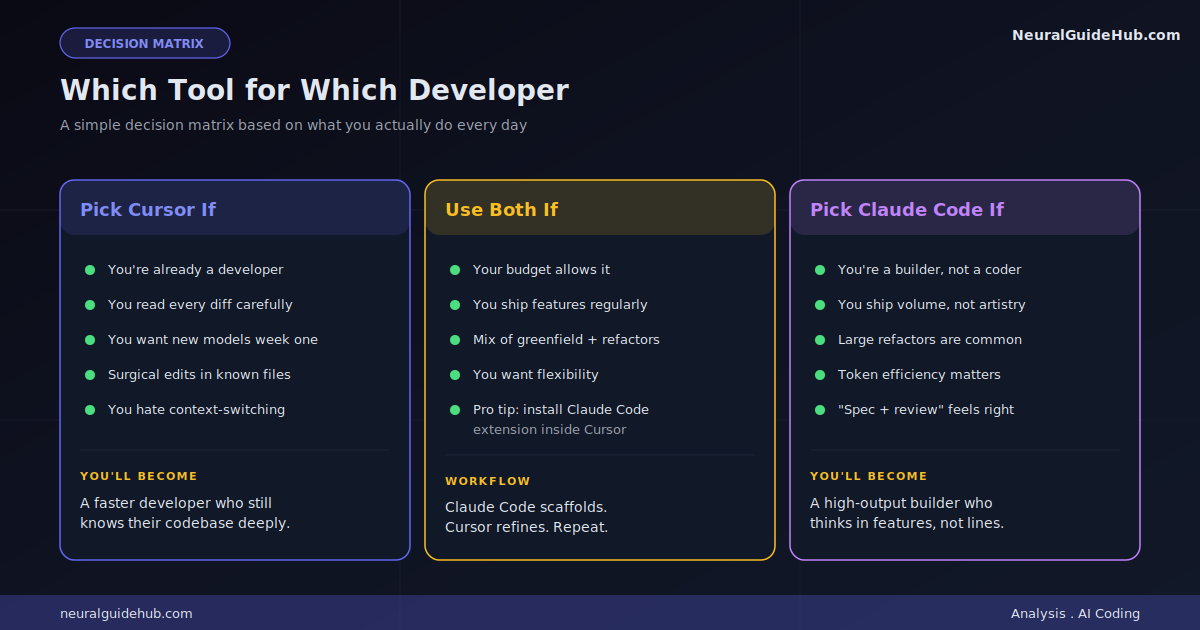
Pick Cursor if:
- You’re already a developer and want to stay one
- You read every diff before accepting it (and you should)
- You want to try new models the week they ship
- Your work involves a lot of small, surgical edits in known files
- You hate context-switching between IDE and another tool
Pick Claude Code if:
- You’re a builder who can describe what you want in words
- You’re shipping a lot of features and don’t have time to babysit code
- You handle large refactors or multi-file changes regularly
- You’ve felt the pain of token efficiency on long sessions
- You’re okay being a “prompt engineer who reviews diffs” most days
Pick neither yet if:
- You’re learning to code and AI is doing all the lifting
- You don’t yet have a sense of what “good code” looks like
- You’d struggle to debug an AI-generated mistake
That last group is real and growing. AI coding tools are great force multipliers for people who already understand what they’re building. They’re risky for people who don’t, because mistakes look like working code until they don’t.
Should You Just Use Both?
If you can afford it, yes. The combo works well.
The pattern I’ve landed on after a year:
- Start a feature or refactor in Claude Code. Let it scaffold the structure.
- Move into Cursor for the surgical work. Reviewing diffs. Adjusting specific functions. Catching the agent’s weird decisions.
- Hand back to Claude Code for the test runs and final integration checks.
One pitfall to avoid: don’t have both tools editing the same files at the same time. I once waited 10 minutes for Claude Code to finish a “simple” task before it told me it couldn’t make changes because Cursor kept editing the file underneath. Pick a tool per session. Switch deliberately. Don’t overlap.
You can also install the Claude Code extension inside Cursor, which gives you both surfaces in one window. That setup eats less RAM, switches faster, and avoids the “two tools fighting for the same file” issue.
The Bottom Line
The Claude Code vs Cursor question doesn’t have a universal answer. Anyone who tells you “X is just better” is either selling something or hasn’t used the other one seriously.
What I’ve come to believe after a year of heavy use: Cursor is the better long-term tool for keeping you sharp as a developer. Claude Code is the better short-term tool for shipping volume. Most people need some of both. But you have to pick which one becomes the default.
If you can only afford one and you’re already a working developer, lean toward Cursor. If you’re an indie builder who wants to ship fast and care less about being deep in the code, lean toward Claude Code. If you’re stuck and can’t decide, install both for a week and notice which one you reach for instinctively. That’s your answer.
Whatever you pick, the bigger thing is starting now. The developers who figure out how to work with these tools effectively are pulling ahead fast. Six months of real practice is worth more than six months of comparison-reading. Pick something. Build with it. Adjust later.