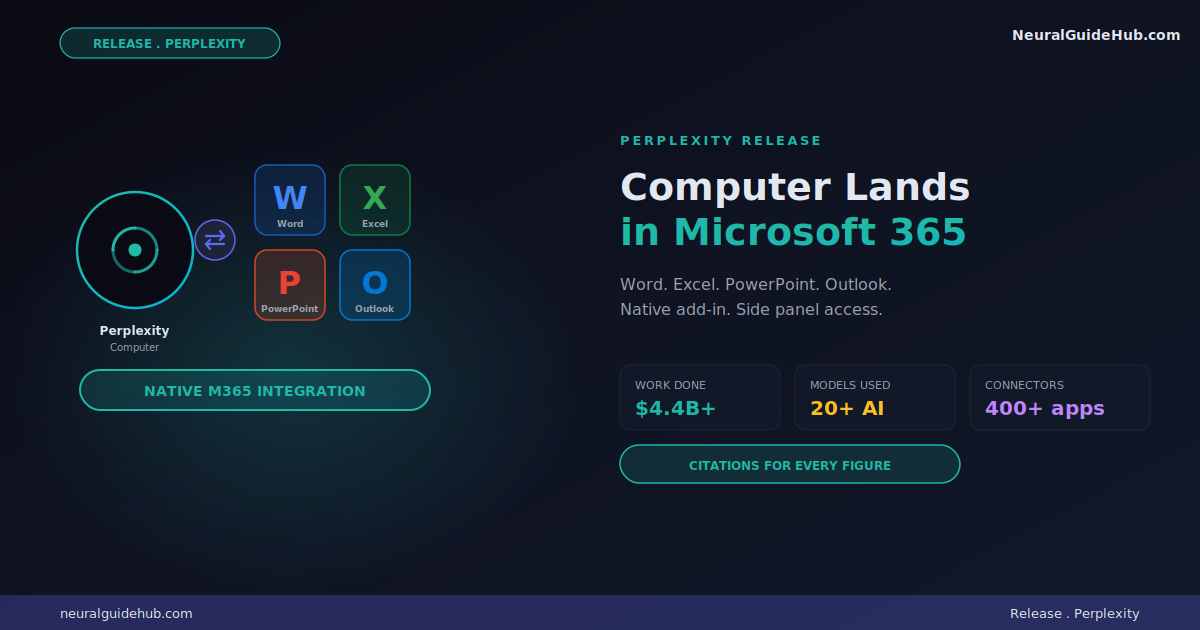
Perplexity just shipped the integration most knowledge workers have been waiting for. The Perplexity Computer Microsoft 365 add-in is now live in Word, Excel, PowerPoint, and Outlook. No more copy-paste between Computer and your actual work documents. The agent lives inside the app you’re already using.
This matters more than another AI plugin announcement. Computer has done over $4.4 billion in labor-equivalent work since launching less than three months ago. Now that work happens natively inside the four most-used productivity apps on the planet.
What actually changed
Before this integration, almost 40% of Computer users were already generating output in Microsoft formats. They just had to copy and paste it into Word, Excel, or PowerPoint manually. That step is gone now.
The new add-in opens a side panel inside each Microsoft 365 app. You launch Computer from there. It drafts, edits, and delivers work without you ever leaving the document.
The agent pulls context from connected files, SharePoint, the web, and 400+ additional connectors. Every claim and figure gets a citation. That last part matters most for any team that has to share work externally.
What it looks like in each app
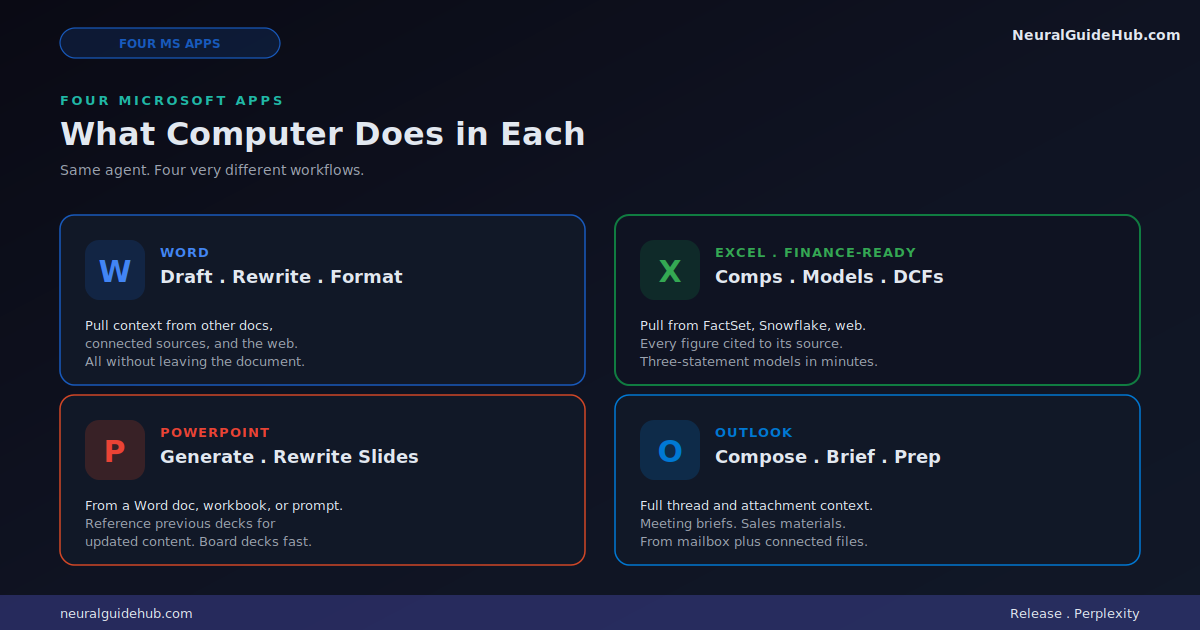
Same agent. Four very different workflows.
Excel
Comps. Models. DCFs. Computer updates spreadsheets directly. You can pull data from the web and licensed sources like FactSet and Snowflake. Every figure shows where it came from. For anyone in finance, this is the integration that closes the gap between research and modeling.
Word
Draft. Rewrite. Format. Computer can pull context from other documents, connected sources, and the web while you write. No tab switching.
PowerPoint
Generate slides from a Word doc, a workbook, or a prompt. Reference previous presentations to create new decks with updated content. Board updates and client decks get noticeably faster.
Outlook
Compose and rewrite emails with full thread and attachment context. Prep meeting briefs. Pull together sales materials from mailbox, connected files, and the web. The email side is the one I’d argue saves the most time daily.
Where Teams fits in
Computer already launched in Microsoft Teams earlier this month. You start tasks by direct message or by tagging the agent in a channel.
The new Microsoft 365 add-ins extend that to documents themselves. You can still kick off work from Teams. Now you can finish it inside Word, Excel, or PowerPoint without context-switching.
Real workflows worth flagging
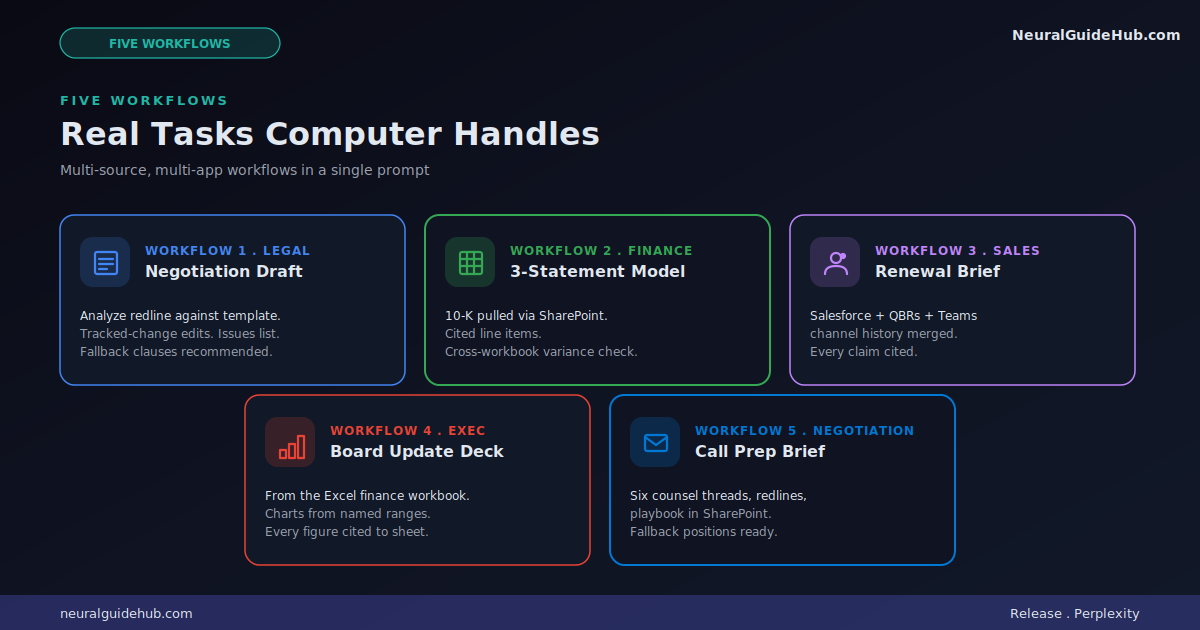
The use cases Perplexity highlights show what this enables.
Negotiation draft prep in Word. Analyze a redline against your standard template. Propose tracked-change edits. Generate an issues list with recommended fallback clauses. That’s a full junior associate workflow in one prompt.
Three-statement model from a 10-K. Pull the source document via SharePoint connector. Build the model in Excel with cited line items. Cross-check against last quarter’s workbook. Finance workflows that used to take a day now happen in an hour.
Customer renewal brief in Word. Combine the Salesforce record, two recent QBRs, and the deal channel history in Teams. Every claim cited. That’s the brief account managers used to spend Sunday night preparing.
Board update deck in PowerPoint. Pull from the finance workbook. Insert charts from named Excel ranges. Cite every figure back to the source sheet.
Outlook negotiation call prep. Pull from six counsel threads, attached redlines, and the playbook in SharePoint. Get fallback positions and open issues laid out before the meeting.
What makes this different
Microsoft Copilot already exists. So does Office’s own AI integration. What sets Perplexity Computer Microsoft 365 apart is the citation layer and the multi-model routing.
Computer is powered by 20+ leading models. It picks the right one for each task automatically. You don’t manage model selection. The agent does.
And every figure gets a provenance trail. For regulated industries or any work that gets shared externally, that’s the difference between “interesting demo” and “actually deployable.”
Enterprise security baked in
Computer runs on the same secure infrastructure as the rest of Perplexity. SAML SSO. Audit logs. Granular admin controls.
Admins enable Computer for the organization, scope which models it can use, and manage connectors. Enterprise data never gets used for model training. That last point matters for any company evaluating AI tools against compliance requirements.
Users stay in control. Computer asks before making any action or change.
How to install
Visit Microsoft Marketplace. Download whichever combination you need: the Word, Excel, and PowerPoint bundle, the Outlook add-in, or the Teams app.
Open the app. Launch Computer from the sidebar or tag it in Teams. Sign in once. The connection flows across all installed apps.
Available to all paying Pro, Max, Enterprise Pro, and Enterprise Max customers.
Why this lands now
The AI productivity space has been crowded with chatbots. Most of them live outside your workflow. You ask. You copy. You paste. You edit. The overhead adds up fast.
Native integration into Microsoft 365 is what makes AI agents actually useful for daily work. Computer lands there with citations, multi-model routing, and enterprise controls in place. That’s a stronger starting position than most competitors.
If your team is on a paid Perplexity plan, this is worth installing this week. The first time you build an Excel model with cited line items pulled from a 10-K, the value clicks.
https://www.perplexity.ai/hub/blog/computer-comes-to-word-excel-powerpoint-and-outlook