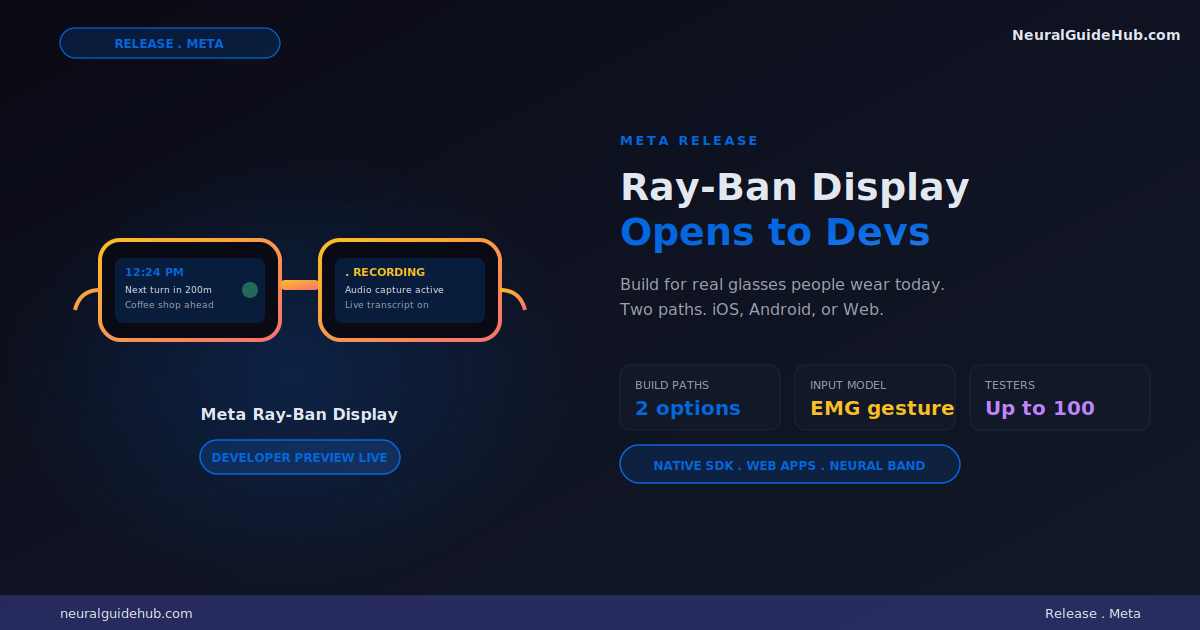
Meta just opened the door. The Meta Ray-Ban Display apps developer preview is live. You can now build for the actual display on the glasses. Not a dev kit. Not a simulator. The real glasses people are wearing today.
Two paths to build. Native mobile SDK or Web Apps. Pick whichever fits your stack. No new framework to learn. No proprietary language.
Why this matters
Smart glasses have been an “almost” category for a decade. Google Glass. Snap Spectacles. The original Ray-Bans. All of them stuck at audio and camera. The display was always coming next year.
Next year is now. The glasses exist. People wear them. Developers can finally ship to them.
That’s a different starting point. You’re not betting on a future device. You’re shipping to hardware that’s already on faces.
The gesture model is the surprise
Display gets the headlines. The Meta Neural Band gets the real attention.
It uses surface EMG to read finger and hand movements. Subtle ones. You don’t wave at the air. You make a small motion and the glasses respond.
That changes the interaction model. No touchscreen. No voice. No reaching up to tap the frame. Just a finger movement nobody else notices.
For developers, this is the unlock. Voice is awkward in public. Touchscreens defeat the point of glasses. EMG gestures are finally a control surface that fits wearable computing.
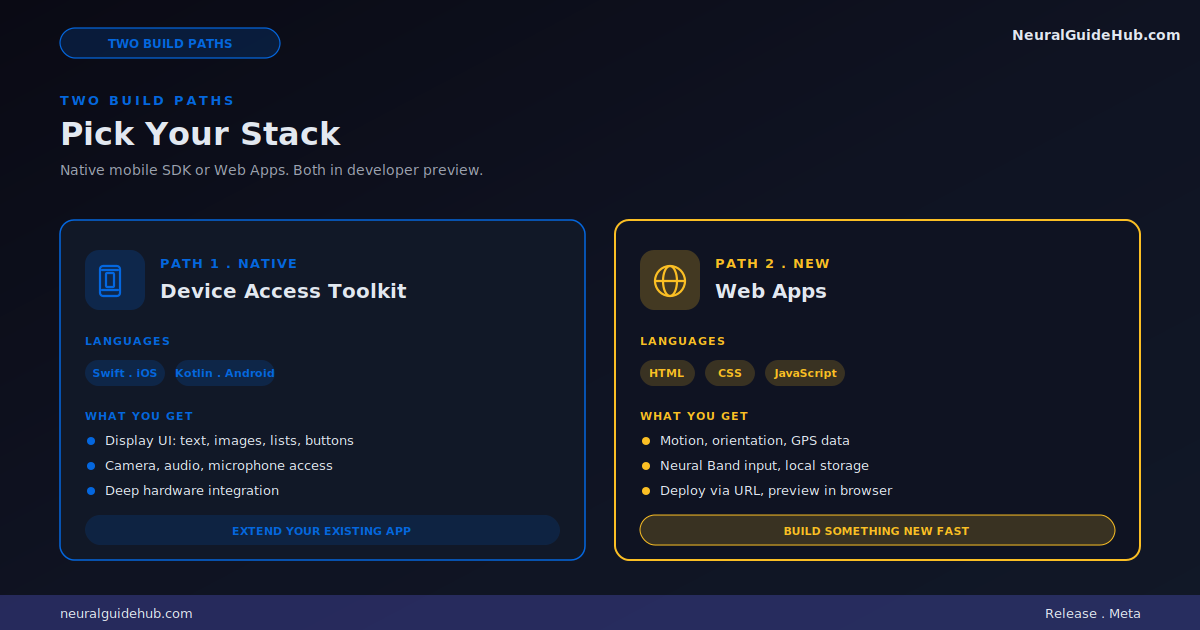
Path 1: Device Access Toolkit
Native mobile SDK for iOS and Android. Swift on one side. Kotlin on the other. Same tools you already use.
Display UI components ship in this release. Text. Images. Lists. Buttons. Video playback. Combined with the existing camera, audio, and microphone access, this is the most complete hardware integration any AI glasses SDK has shipped so far.
If you have an existing iOS or Android app and want to push features onto the glasses, this is the path. Extend what you already built. Skip the rewrite.
Path 2: Web Apps
HTML. CSS. JavaScript. That’s it. No new framework. No proprietary language.
Build in your browser. Preview in your browser. Deploy to the glasses via a URL.
The Web Apps path gets access to motion data, orientation, GPS from your phone, Neural Band input, and local storage. Enough to build something real, not just a static page.
This is the path for fast prototyping. New ideas. Lightweight utilities. Categories nobody has tried yet.
What you can actually build
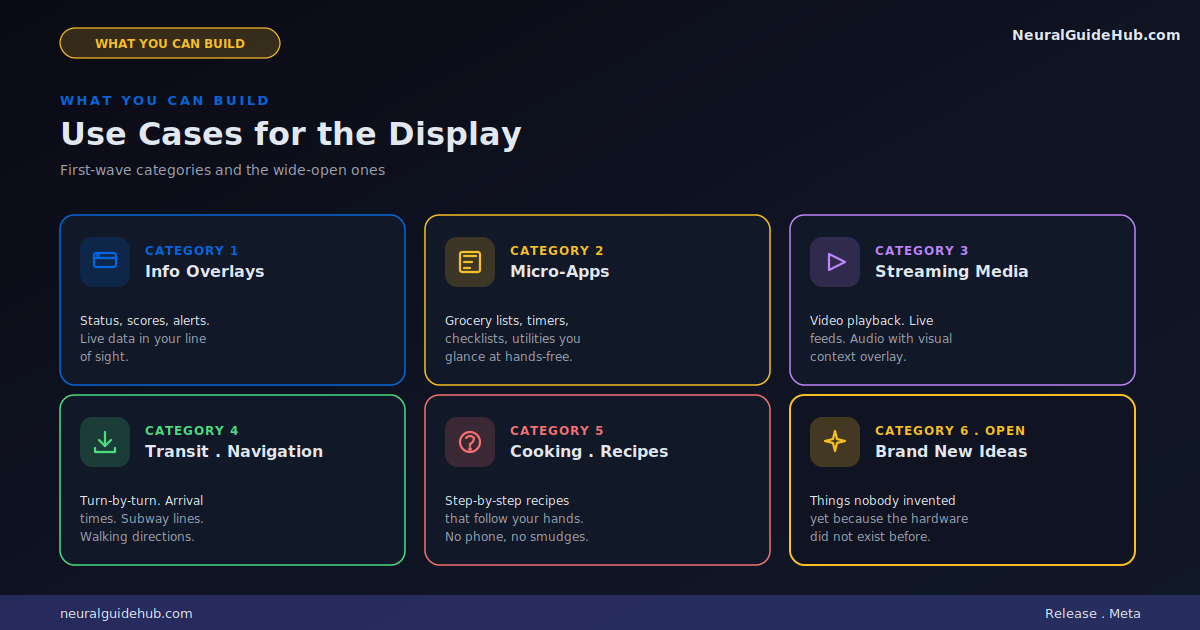
Meta lists a few starting points. Information overlays. Real-time data like scores or status updates. Micro-apps and utilities. Streaming media.
The interesting category is the one they don’t list. Things nobody has invented yet because the hardware didn’t exist. Cooking guides that follow your hands. Transit tools that overlay arrival times. Instrument practice with timing feedback. Grocery lists that check off as you walk the aisle.
The first wave of glasses apps will be obvious. The second wave is where it gets interesting.
Distribution during preview
You don’t have to wait for the app store to share what you build.
Web Apps ship via password-protected URLs. Device Access Toolkit builds use release channels. Up to 100 testers in either case. Enough to get real feedback before any wider launch.
Whoever builds, tests, and iterates in this preview window has an outsized chance of defining what the category becomes. Early apps on new platforms set the template for everything that follows.
Which path to pick
Have an existing iOS or Android app? Device Access Toolkit. Extend what you already have. Use the SDK you already know.
Building something brand new? Want to iterate fast? Web Apps. Ship in days, not weeks. Test ideas before committing to a full native build.
Some teams will end up using both. Native for the core app. Web Apps for experimental features. The fact that both work without learning a proprietary stack is the design choice that matters most.
How to start today
Device Access Toolkit lives on GitHub for iOS and Android. Documentation is at developer.meta.com/wearables.
Web Apps has a starter kit on GitHub. Works with Claude Code, Cursor, GitHub Copilot, and any other AI coding tool you already use.
If you’ve been waiting for the right moment to build for AI glasses, this is it. The hardware is real. The SDK is open. The category is still wide open.
First mover advantage is real here. Worth picking a small idea and shipping it this month.