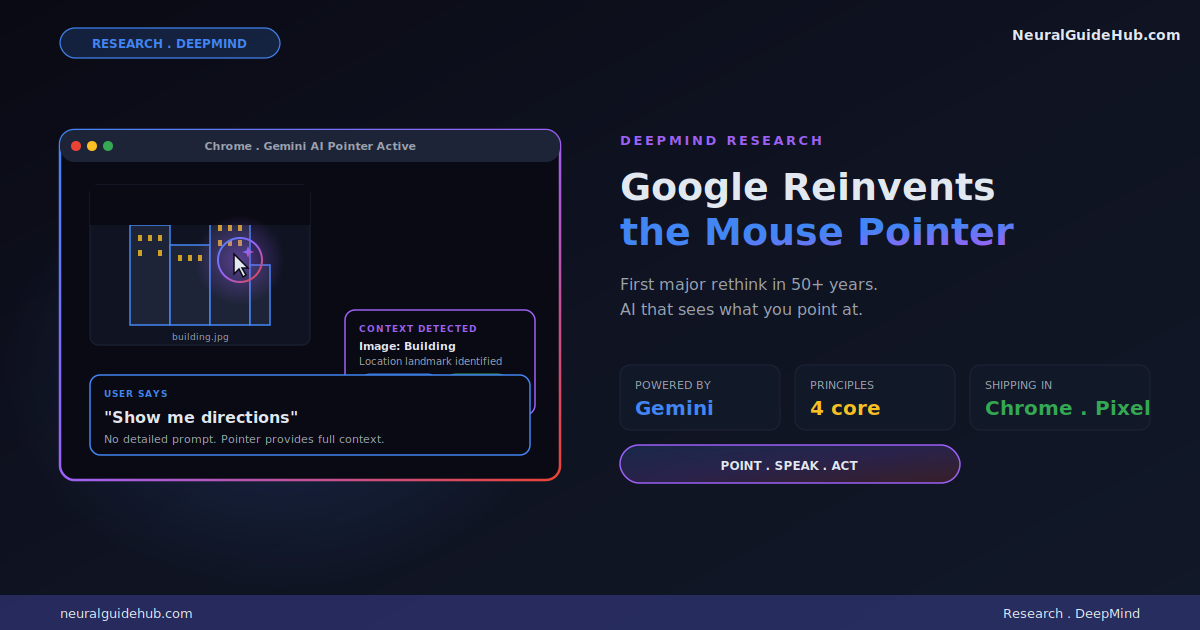
Google DeepMind just shared one of the more interesting AI research updates I’ve seen this year. The team is rethinking the mouse pointer itself. Not a chatbot. Not a sidebar assistant. The actual cursor on your screen, now powered by Gemini. The Google AI pointer can understand what you’re pointing at and act on it in context. Point at an image of a building, say “show me directions,” and the system handles the rest.
The mouse cursor has been on every screen for over half a century with almost no functional change. That’s what makes this announcement interesting. DeepMind isn’t iterating on AI chatbots. They’re rethinking the primary input device of computing. I’ve been waiting for someone to do this for years. Here’s what they showed and why I think it matters.
The problem with current AI tools
DeepMind frames the problem clearly. Today’s AI tools live inside their own windows. To use them, you have to drag your context into them. Copy text from a doc, paste into ChatGPT, ask a question, copy the answer back. The mental friction is constant. You spend half your interaction time on context transfer instead of actual work.
The DeepMind pitch is the opposite direction. AI that meets you in your workflow. Across every app you use. Without forcing you to leave what you were doing. The pointer is the interface because the pointer is already where your attention lives.
When I read this framing, it clicked. The chatbot model is broken precisely because it requires context export. The pointer model fixes that by understanding context where the user already is.
The four principles guiding the design
DeepMind outlines four interaction principles that shift the work of conveying context from the user to the computer. Each one is a small shift but together they reshape the interaction model.
Principle 1: Maintain the flow
AI should work across every app, not force users into “AI detours” between them. The DeepMind prototype is available wherever you’re working. Point at a PDF and ask for a bullet-point summary you can paste straight into email. Hover over a table and ask for a pie chart. Highlight a recipe and ask to double all the ingredients.
The principle here is that switching apps is the friction. Removing the switch is the entire benefit.
Principle 2: Show and tell
Current AI models demand precise prompts. You have to write out exactly what you want. The AI pointer streamlines this by capturing visual and semantic context around the cursor automatically. The computer can “see” what’s important to you because you’re already pointing at it.
In practice, this means pointing at a word, paragraph, image region, or code block is enough. No detailed prompt required. The AI already knows what you’re looking at.
Principle 3: Embrace the power of “this” and “that”
This is the principle I find most clever. Humans don’t speak in detailed paragraphs in everyday conversation. We say “fix this,” “move that there,” “what does this mean?” while pointing or gesturing. We rely on shared physical context to fill the gaps.
An AI that combines pointing with speech can handle complex requests in natural shorthand. No prompt engineering. No careful wording. Just the way humans actually communicate with each other.
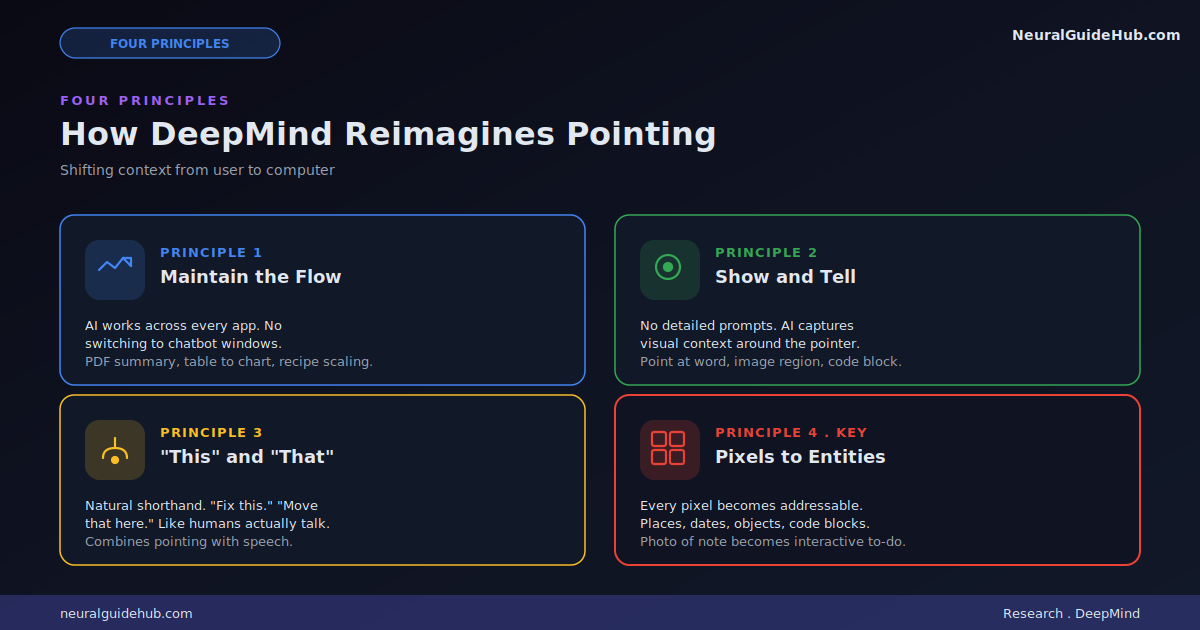
Principle 4: Turn pixels into actionable entities
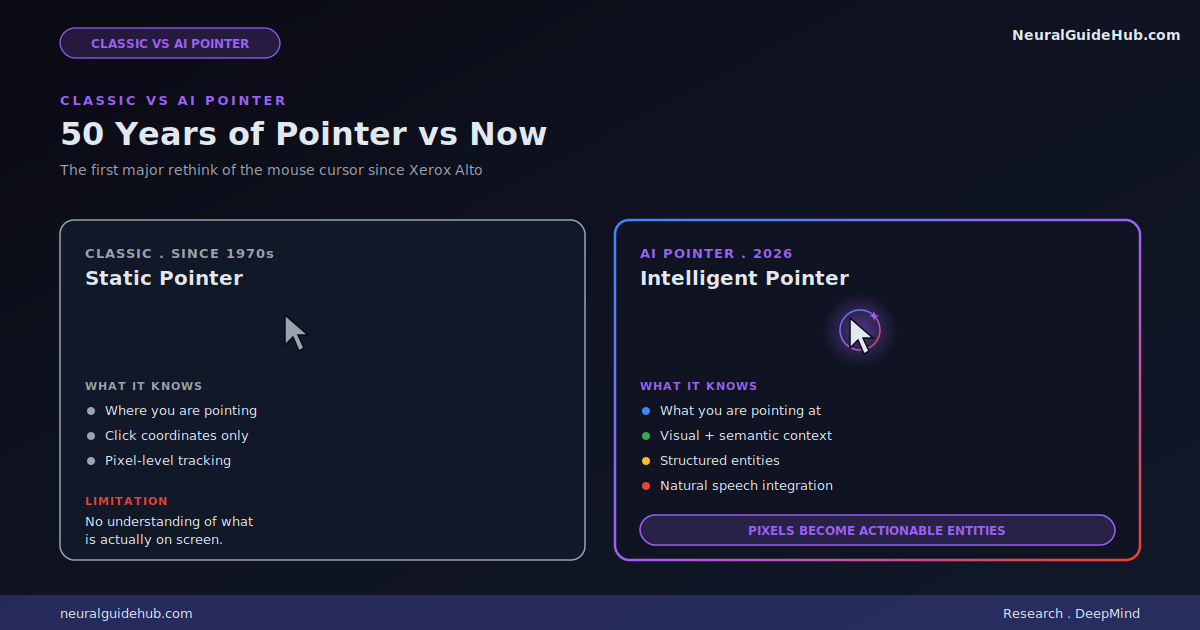
For decades, computers tracked where the pointer was. AI can now understand what the pointer is over. That transforms pixels into structured entities. Places, dates, objects, code blocks, all of them become interactive things you can act on.
The examples DeepMind uses are concrete. A photo of a scribbled note becomes an interactive to-do list. A paused frame in a travel video becomes a booking link for the restaurant in the background. The visual world stops being static and starts being addressable.
This is the principle with the longest tail of implications. Once every pixel on your screen is an addressable entity, the entire interaction model with computers changes.
Where this is shipping first
The research is already moving into Google products. Two specific integrations are happening now.
In Chrome, you can already use your pointer to ask Gemini about a specific part of a webpage. Select a few products on a page and ask to compare. Point to where you want to visualize a new couch in your living room and Gemini handles the rendering. This is live today.
In the new Googlebook laptop experience, a feature called Magic Pointer rolls out soon. The same principle applies. Point at anything on screen and Gemini knows what you mean. Google Labs’ Disco platform will also test future variants of this interaction model.
Why this matters more than another chatbot release
Most AI announcements over the past year have been incremental. Bigger context windows. Better reasoning. Faster inference. All useful. None of them changed the fundamental interaction model. You still type prompts into a text box.
The Google AI pointer work is different because it rethinks the input layer. The cursor has been static for fifty years. Making it intelligent and context-aware doesn’t just add a feature. It changes how every piece of software works.
If this approach lands well, expect the AI sidebar pattern to fade out fast. Why open a chat panel and copy context into it when you can just point at the thing you care about? The chatbot UX was always a workaround for AI tools not being able to see your screen. That workaround stops being necessary the moment the system can see exactly where you’re looking.
The competitive picture
Apple has been talking about similar capabilities for Apple Intelligence with onscreen context awareness. Microsoft has shipped Copilot in various forms with limited app-level integration. Neither has anything close to what DeepMind is showing here. The combination of full-screen visual understanding, pointer-based selection, and natural speech is genuinely new territory.
The advantage Google has is the model layer. Gemini’s multimodal capabilities are well-positioned for this kind of work. Understanding what’s in an image, parsing structure from a webpage, reasoning about user intent based on what they’re pointing at, all of that requires strong vision and reasoning together. That’s where Gemini is competitive.
What I’d watch for next
A few questions worth tracking as this technology rolls out.
How latency-sensitive is the experience? Pointing and getting a response needs to feel instant. If there’s a one-second delay between point and action, the whole interaction model collapses. The demos look fluid but production latency is a different test.
What’s the privacy model for screen-level AI? When the AI can see everything on your screen, the trust requirements get high fast. Where is processing happening? What gets sent to servers? What stays local? These answers will determine adoption.
How will third-party apps integrate? Chrome and Googlebook are first parties. The real test is how non-Google apps can hook into the pointer system. If only Google apps benefit, the impact is limited. If it becomes an open platform, the implications are much bigger.
The bigger picture
What DeepMind is describing is a new computing paradigm, not just a new feature. The mouse pointer has defined personal computing since the Xerox Alto in the 1970s. Making it semantically intelligent is the kind of shift that compounds over decades.
For anyone building software, this is worth taking seriously. If pointing becomes the dominant AI interaction model, every app needs to think about what its content looks like when seen by an AI pointer. Headlines, structured data, interactive elements, all of them become surfaces for AI invocation rather than just visual presentation.
For users, the change is even more direct. The AI tools you use today will likely feel clunky in two years compared to what’s coming. The Google AI pointer is the first concrete preview of what intuitive AI collaboration actually looks like. Worth watching closely.