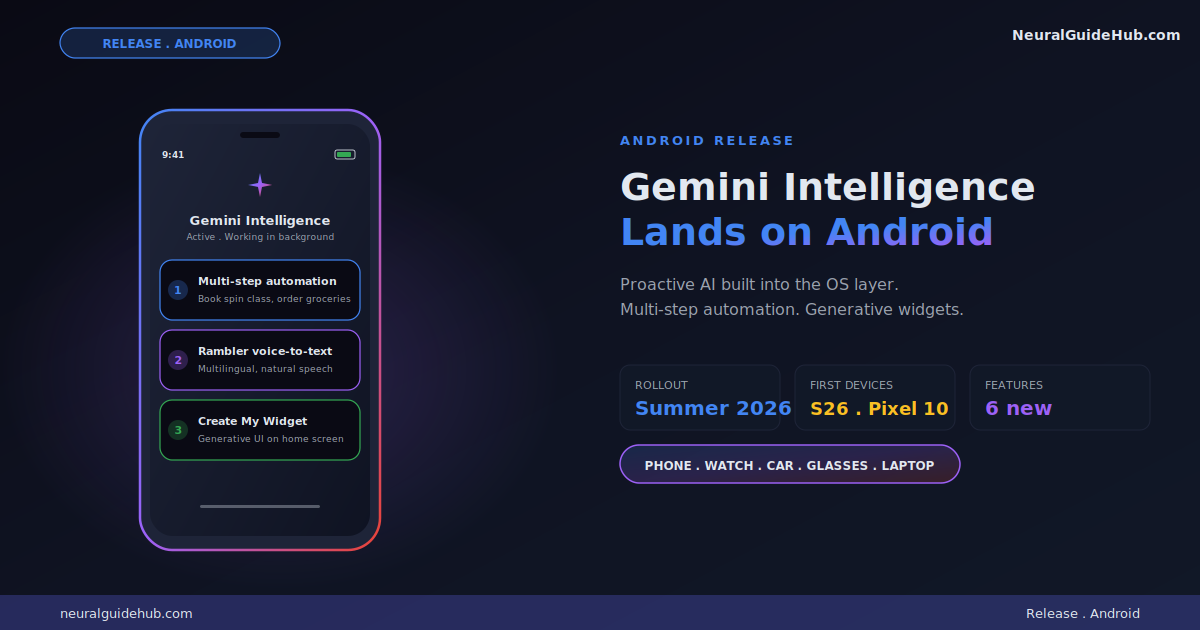
Google has been chipping away at “AI on the phone” for years. Bixby. Google Assistant. Gemini. Each one promised proactive intelligence and mostly delivered a chatbot. The new Gemini Intelligence Android announcement looks different. This time the AI is wired into the operating system layer with multi-step automation, context-aware actions, and generative UI built directly into the home screen. I’ve been testing the early rollout and the feature set genuinely changes how the phone behaves.
The rollout starts this summer on the Samsung Galaxy S26 and Google Pixel 10. By later this year, Gemini Intelligence expands to Android watches, cars, glasses, and laptops. That ecosystem coverage is the part that matters most. AI that works on one device is a feature. AI that works across every device you own is a platform shift. Here’s what’s shipping and where I think it lands.
Multi-step automation across apps
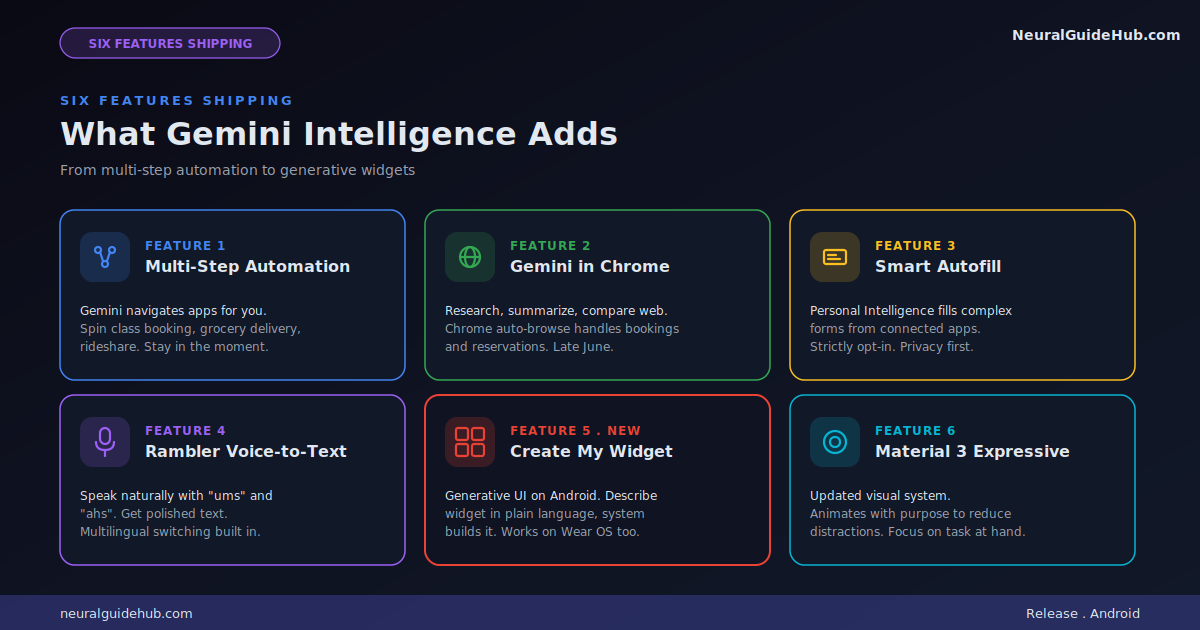
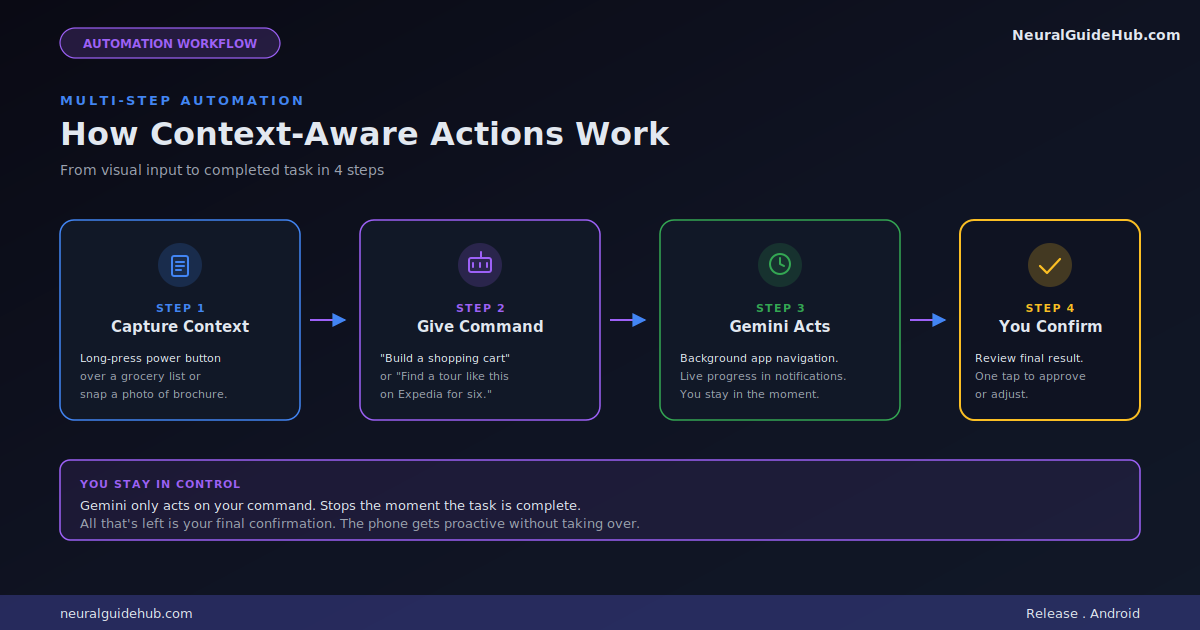
The headline feature is multi-step task automation across your installed apps. Google says they’ve spent months fine-tuning interactions on food delivery and rideshare apps to make every step feel seamless. The example they use is asking Gemini to book a “front-row bike for your spin class.” The model handles the app navigation, the selection, and the checkout while you stay focused on something else.
More interesting is the context-aware version. Long press the power button on your phone over any screen and ask Gemini to act on what it sees. A grocery list in your notes app becomes a delivery cart. A travel brochure photo becomes an Expedia search for a group tour.
The framing Google uses is important. Gemini only acts on your command. It stops when the task is done. You confirm at the end. This is the part most Android automation experiments have gotten wrong in the past. They felt like the phone was running away from you. The new model keeps the human in the loop without making every step feel manual.
For anyone tracking the agentic AI space, this is one of the cleaner consumer implementations I’ve seen. The agent does the work but you stay in control.
Gemini in Chrome for smarter browsing
Starting in late June, Android Chrome gets a smarter browsing assistant. Gemini in Chrome can research, summarize, and compare content across multiple tabs. That’s expected at this point. The more interesting capability is Chrome auto-browse, which handles mundane tasks like appointment booking or parking spot reservation on your behalf.
Auto-browse is where things get interesting from an agentic perspective. Booking a service across a website your browser has never visited before requires the model to read the page, understand the form, and execute correctly. Most consumer products have failed at this. Google has the data advantage of having indexed most of the web, which probably helps the model navigate unfamiliar sites with higher reliability.
Autofill becomes intelligent
Autofill with Google has been a basic convenience for years. Save a name, address, and credit card. Pull them into forms automatically. The new version uses Gemini’s Personal Intelligence to fill in much more complex fields, pulling information from connected apps.
The use case Google flags is filling out long forms on mobile. Anyone who’s ever booked a flight on a phone knows how painful that is. Twenty fields, tiny text inputs, autocomplete that doesn’t quite work. The new approach lets your device use relevant information from your apps to populate those fields automatically.
Privacy is the part Google is being careful about. Connecting Gemini to Autofill is strictly opt-in. You decide if and when to enable it. You can turn the connection on or off from settings at any time. That control matters because Personal Intelligence implies the model has access to a lot of context about you.
Rambler turns spoken thoughts into polished text
This is the feature I think most people will use daily. Rambler is a Gboard feature that takes how you actually talk, complete with “ums” and “ahs” and self-corrections, and converts it into the message you meant to send. Speech-to-text has been solved for years. Speech-to-message is the harder problem.
What stands out is the multilingual handling. Rambler uses Gemini’s multilingual model to seamlessly switch between languages in a single message. If you’re blending English with Hindi, or any other combination, the model understands the context and produces output that reads naturally in both languages mixed together.
For markets like India, where English-Hindi code-switching is the default communication mode for hundreds of millions of users, this is significant. Most voice input tools force you to pick one language at a time. Rambler doesn’t.
Audio handling is also worth flagging. Google says audio is only used to transcribe in real-time and is not stored or saved. That’s the right privacy posture for a feature like this.
Create My Widget brings generative UI to Android
This is the most novel piece of the announcement. Google is calling it the first step in generative UI on Android. With Create My Widget, you describe what you want using natural language and the system builds a custom widget for your home screen.
The examples Google uses are concrete. Ask for “three high-protein meal prep recipes every week” and you get a custom dashboard widget that refreshes weekly. Ask for a weather widget that surfaces only wind speed and rain and that’s exactly what appears. The widget resizes naturally and behaves like a native Android element.
For Wear OS watches the feature extends. You can build custom widgets sized for the watch face the same way. Information you care about, exactly where you want it.
Generative UI as a category has been mostly theoretical until now. Most attempts have lived inside chatbots that render custom cards. Pushing this directly into the home screen layer changes the interaction model. Your phone interface stops being something a designer decided for you and starts being something you describe into existence.
Material 3 Expressive gets a refresh
The visual system gets updated to build on Material 3 Expressive. Google’s framing is that the design “animates with purpose to reduce distractions.” Translation: motion is more intentional. Things move when they need your attention. They stay still when they don’t.
I’d note this matters more than typical design refreshes because Gemini Intelligence will produce a lot of new UI surfaces. Notifications when background tasks complete. Widgets you generate on demand. Live progress updates while Gemini works through multi-step automation. A coherent motion language across all of those surfaces is what makes the experience feel like one product instead of features layered on top of each other.
Where this lands in the AI phone race
The competitive context matters here. Apple Intelligence has been the headline AI-on-phone story for the past year but the rollout has been slower than expected and the capabilities have been narrower than Apple’s keynotes suggested. Samsung’s own Galaxy AI sits on top of Android. OpenAI has been pushing for an AI phone partnership announcement that hasn’t quite materialized yet.
Google’s position with Gemini Intelligence Android is that it owns the operating system layer. It has the model. It has the device partnerships with Samsung and Pixel. It has the data depth from indexing the web. Combine those three and you get something Apple Intelligence structurally can’t match. Apple has the device. Google has device, model, and web context together.
That doesn’t automatically mean Google wins. Apple still has the integration polish and the trust position with most users. But on capability breadth, Gemini Intelligence is now ahead.
What I would watch for next
A few open questions for anyone evaluating this rollout.
How reliable is multi-step automation in practice? Demos are easy. Real-world apps update constantly and agentic models break when the UI shifts. The summer rollout will tell us how robust the system is when it hits actual users on actual app updates.
How privacy-respecting is Personal Intelligence in daily use? Google’s stated posture is strong. Opt-in. Local where possible. No audio storage. But the friction between “useful” and “intrusive” gets tighter as the model gets more context about you. Worth watching.
What does the cross-device experience look like in late 2026? The bigger story isn’t this phone release. It’s the watches, cars, glasses, and laptops that follow. If Gemini Intelligence becomes the layer that ties all of Android together coherently, that’s a meaningful platform moment.
For now, if you’re on a Galaxy S26 or Pixel 10 this summer, you’ll be the first to see the new behavior land. Worth turning the features on as they roll out and seeing how the interaction model shifts. The phone you carry is about to become noticeably more proactive.
https://blog.google/products-and-platforms/platforms/android/gemini-intelligence/