There is a specific frustration that anyone who has used AI for creative work knows well. The draft is good. The structure is right. The copy works. And then you spend the next hour trying to get it into the right format, with the right fonts, the right colors, the right layout, because the tool that generated it cannot design and the design tool cannot read it. Two separate worlds. A manual bridge between them.
That bridge is what Canva Claude Design removes. Anthropic and Canva have integrated Claude Design with Canva’s Visual Suite, so AI-generated drafts, content, and HTML artifacts from Claude can move directly into Canva’s editor and become fully editable designs. No copy-pasting. No reformatting from scratch. The draft becomes a design that can be adapted, branded, and collaborated on with a team.
How Claude Design and Canva Work Together
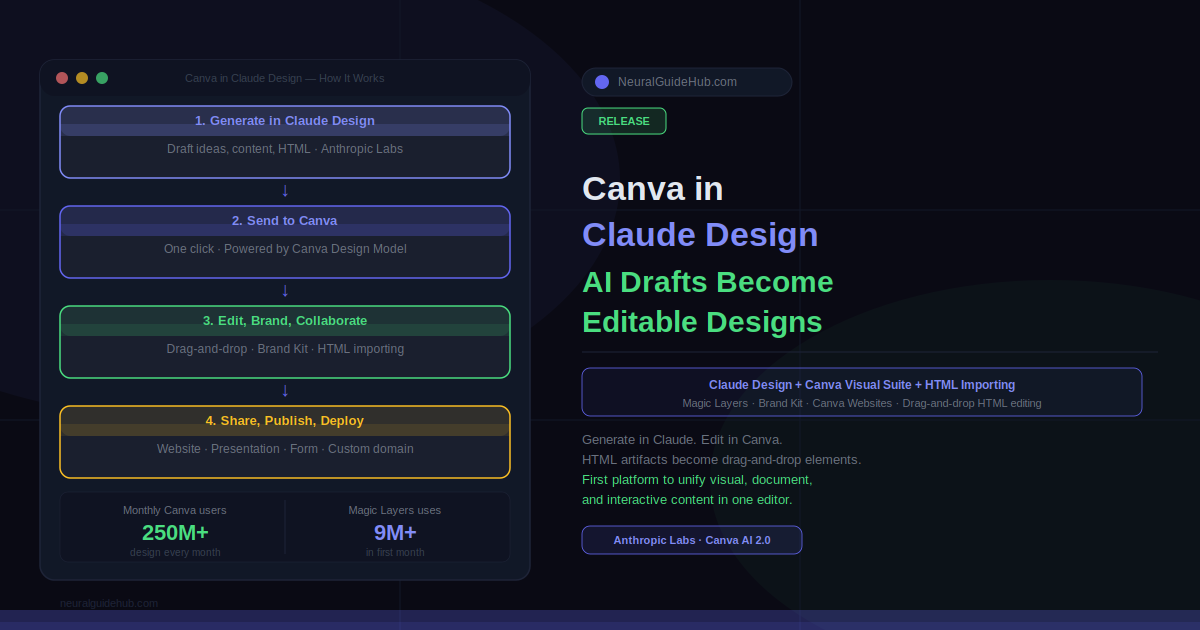
The workflow is straightforward. You generate ideas and draft content in Claude Design, then send them into Canva’s Visual Suite where they are transformed by the Canva Design Model into structured, editable designs. From there you can customize everything: swap colors, change layouts, apply your Brand Kit, add team members, and then publish or share.
This builds on two years of collaboration between Anthropic and Canva. The Canva MCP for Claude launched last July, and millions of people have since used it to create, resize, and summarize content directly from Claude. In January, on-brand design generation brought Brand Kits into that flow. This integration is the next step, and it goes further than what came before.
HTML Importing: AI Artifacts Go Drag-and-Drop
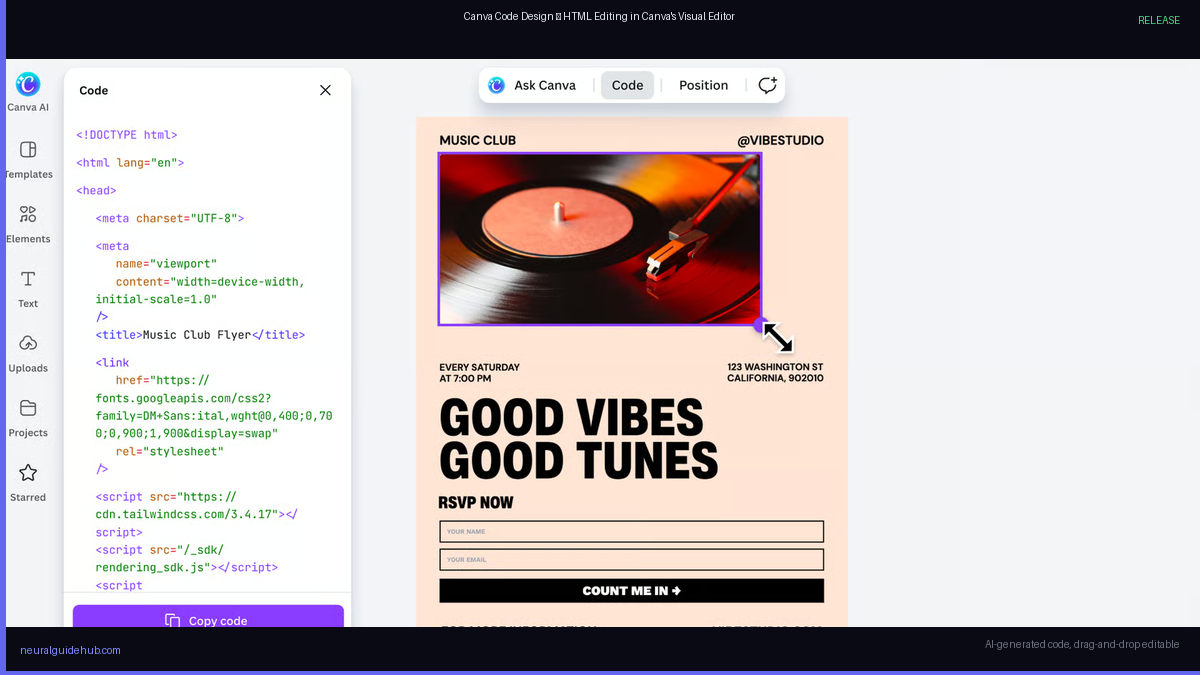
The feature that I think is actually the biggest deal here is HTML importing. Canva is now the first platform to bring AI-generated HTML directly into a drag-and-drop editor as visual, editable elements.
Here is why that matters. When Claude or any AI generates an interactive experience — a landing page, a widget, a form — the output is code. And code is locked. Every time you want to change a color or move an element, you have to go back to the AI and regenerate, or edit the HTML manually. That friction kills iteration speed. It is one of the main reasons AI-generated interactive content stays in draft form and never gets shipped.
With HTML importing, you bring any coded creation from Claude into Canva and edit it the same way you would edit any other design element. Swap colors. Move elements. Update layouts. No code required. No regeneration needed. The AI artifact becomes a living design object.
And once it is in Canva, it stays connected to the full platform. Embed it in a presentation. Add a Canva Form to collect data in a Canva Sheet. Publish it as a live website with a custom domain through Canva Websites. All without switching tools.
Magic Layers: 9 Million Uses in One Month
Canva also released usage numbers for Magic Layers, their product that transforms static AI-generated images into fully editable designs. Over nine million uses in just over a month since launch. That number tells you something important about where the demand actually is.
People are generating images with AI constantly. The problem has always been that those generated images are static. You cannot move elements, swap backgrounds, or adjust individual layers without going back to the generation tool and starting over. Magic Layers makes those images editable after the fact, treating AI generation as a starting point rather than a final output.
Nine million uses in a month on a new feature is not casual adoption. That is a signal that the generation-to-editing gap is real and people will immediately use any tool that closes it.
What This Means for the 250 Million People Who Use Canva
More than a quarter of a billion people design with Canva every month. That scale makes this integration immediately relevant to a massive user base, not a niche workflow.
For the average Canva user, the practical change is this: you no longer have to choose between using AI for content and using Canva for design. You use both, in sequence, without friction. Claude handles the drafting, the structure, the interactive elements. Canva handles the visual refinement, the branding, the collaboration, and the publication.
For teams, the Brand Kit integration means the AI output can be on-brand from the first edit. No manual color matching. No hunting for the right font. The brand parameters come with the design.
This integration arrived the same week Canva unveiled Canva AI 2.0, described as the most significant evolution of the platform since it launched over a decade ago. The timing is not coincidental. Canva is positioning itself as the design layer for the AI era: the place where AI-generated content lands and becomes something usable, branded, and collaborative. This week’s announcements are the most concrete version of that positioning yet.
Claude Design is available via Anthropic Labs. The Canva integration, HTML importing, and Magic Layers are available now within Canva.