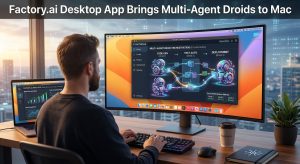
Factory.ai just shipped something that changes who can actually use the platform. The new desktop app available today on macOS and Windows brings Droids out of the terminal and into a native interface that works for anyone on a software team, not just engineers who live in the command line.
The timing makes sense. Factory has been building toward multi-agent workflows for a while, and a desktop app is the natural surface for managing them. Running multiple Droids simultaneously, across different parts of a codebase, is genuinely hard to orchestrate in a terminal. A sidebar with independent sessions is a much better mental model for that kind of work.
Multi-Agent Sessions
The core of the desktop app is built around running multiple Droids at once. Each session lives in the sidebar with its own context, progress, and history. You can start a Droid on a feature build, kick off another on a database migration, and switch between them without losing your place in either.
This is the right abstraction for how AI-assisted development actually works when you push it past single-task prompting. The bottleneck is not usually the model’s speed – it is the overhead of context switching and re-establishing state. Persistent sessions with independent histories solve that directly.
Droid Computers
One of the more practically significant features is persistent machine state. A Droid does not reset between sessions. It keeps installed packages, cloned repos, credentials, and running services. It picks up where it left off.
Factory offers two paths for this. Cloud Computers are managed machines provisioned directly from the app – create, wake, sleep, checkpoint, restore. Persistent storage, SSH access, instant resume. BYO Machine lets you register your own hardware with a single command. A workstation, an on-prem server, a GPU rig – whatever you have available becomes a Droid’s home base.
The GPU path is worth noting specifically. Register a machine with a GPU and the Droid can run entirely on local models. Factory’s BYOK system connects to Ollama, vLLM, or any compatible endpoint running on that machine. No data leaves the network. For teams in regulated industries where code cannot leave the premises, Factory has already deployed fully air-gapped at financial, healthcare, and government institutions.
Computer Use
Droids in the desktop app can control other applications running on your machine. They navigate VS Code, interact with browser tabs, read documents, operate terminals, and work with whatever is open on your desktop.
The practical applications are broader than they might sound. A Droid can open your staging environment in a browser, click through a user flow, and report what broke. It can switch to VS Code, run an extension command, read the output, and act on it. It can pull data from a spreadsheet or update a design file. This is not code generation in a sandbox – the Droid operates your computer the way you would.
VS Code Integration and Visualization
The desktop app connects directly to a VS Code server, local or remote. Browse files, use the terminal, edit code, and run extensions – all linked to the Droid’s session. The integration is tight enough that the Droid and the developer can work in the same environment simultaneously.
Visualization is also worth calling out. Droids decide how to present their work rather than outputting everything as text. They render Mermaid diagrams, charts, tables, dashboards, and metrics directly in the conversation. A Droid analyzing a performance regression might produce a flame chart. One reviewing a migration shows a dependency graph. No templates, no configuration – the Droid picks the format that fits the output.
The Plugin Ecosystem
The full Factory plugin ecosystem – MCP, skills, hooks, and plugins – works in the desktop app. Skills are portable across every Factory surface. Check them into your repo and everyone on the team has access, regardless of whether they are using the desktop app, CLI, or IDE extension.
Mobile is also included. The full Factory experience runs on phone and tablet. Start a Droid on your laptop, check its progress from your phone, review diffs on a tablet, or kick off a new session from anywhere. Sessions, settings, and skills are consistent across every surface.
What the Numbers Show
Factory’s internal data on adoption is telling. Enterprise teams adopt Droids 2x faster when both CLI and desktop are available. Users who work across both interfaces run 4.6x more sessions than CLI-only users. They are not splitting time between interfaces – they are doing more total work.
The other shift the desktop app enables is organizational. Droids become accessible to people who do not spend their day in a terminal. Designers, product managers, data scientists, account executives. When AEs are using Droids to prep deal summaries and PMs are drafting specs, the value proposition stops being about engineering productivity and starts being about organizational leverage.
Availability and Security
The desktop app is available today on macOS (Apple Silicon and Intel) and Windows across all Factory plans. Usage is included in existing subscriptions. The security model is the same as the CLI: commands run locally, risky operations require approval, and all data is encrypted in transit and at rest.
If you already use the CLI or IDE extension, sessions, settings, and skills transfer automatically. Nothing needs to be reconfigured.