There is a pattern to how computers evolve. They get closer. Room-sized to desk-sized to pocket-sized — each shift was really about closing the distance between the machine and the work. What is happening right now with AI follows the same pattern, just faster and less obvious until you see it clearly.
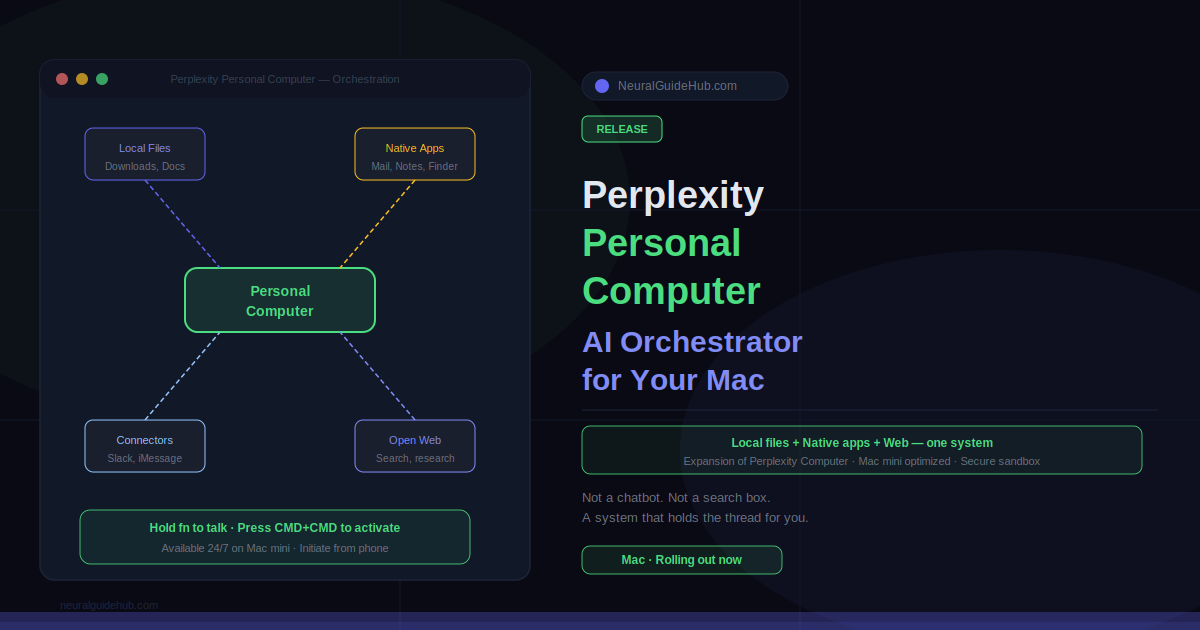
Perplexity just launched Personal Computer, an expansion of Perplexity Computer that runs directly on your Mac. It can work across your local files, native applications, connected services, and the open web — all in one orchestration layer. Not a chatbot. Not a search box. Something that can understand an objective, break it into steps, and carry those steps across every tool where the work actually lives.
What Perplexity Personal Computer Actually Does
The personal computer has been powerful for decades, but it still depended on you to hold the thread. You remembered where the document lived. You knew which tab mattered. You figured out what step came next. The machine waited for instructions and executed them. You did the coordination.
Personal Computer flips that. Give it an objective — not a specific command, an objective — and it reasons about what needs to happen, then works across your apps and files to make it happen. Notes, iMessage, email, your Downloads folder, the web. All of it is in scope.
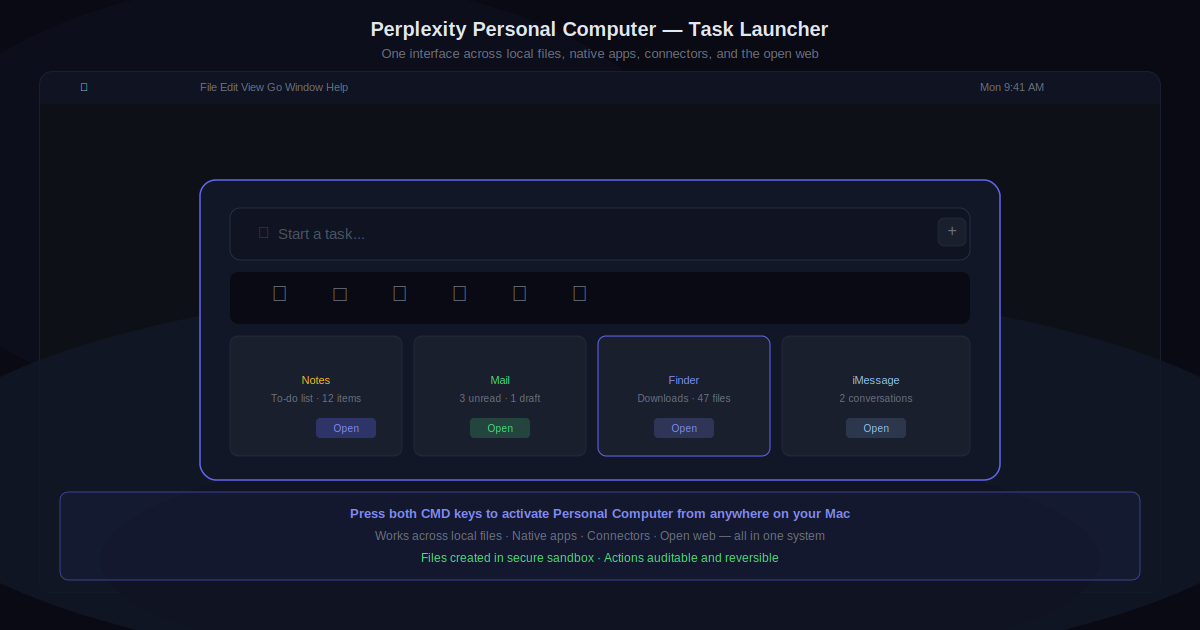
A practical example: you have a to-do list in Apple Notes. Press both CMD keys to activate Personal Computer and ask it to handle the list. It reads the list, figures out how to accomplish each item, and works across your local environment and the web to get things done. Not summarize the list. Not remind you about it. Do it.
How Personal Computer Works on Mac
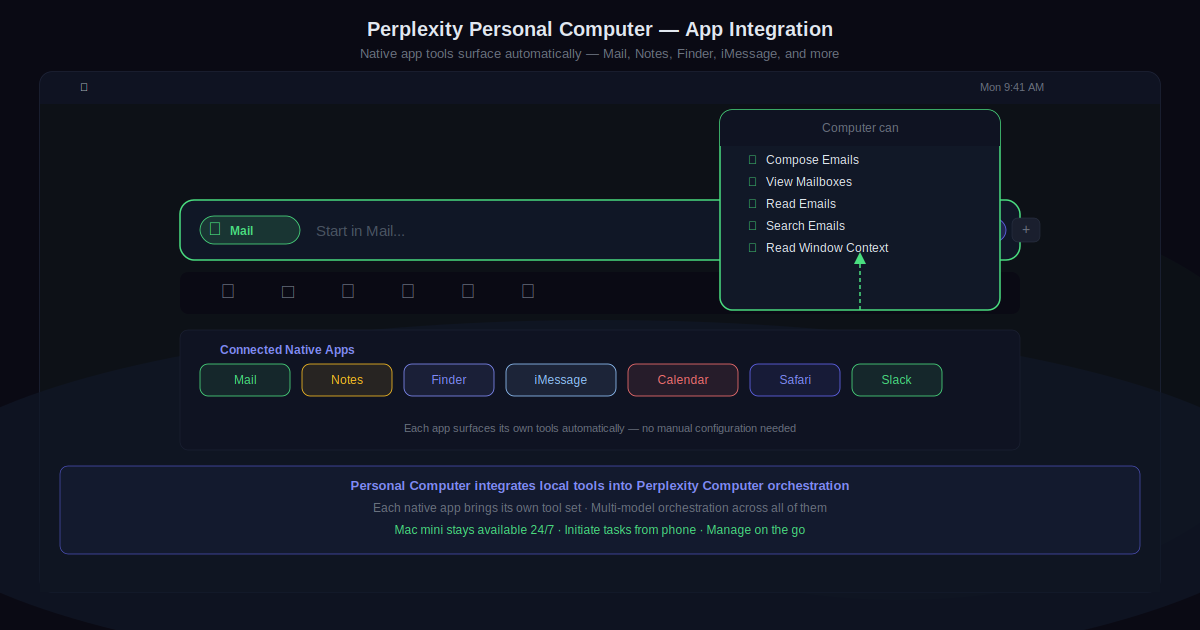
Personal Computer integrates your local files, tools, and native applications into the orchestration system that Perplexity Computer already uses for web-based work. The Mac is the bridge between your local environment and everything connected to it.
Perplexity specifically highlights Mac mini as a strong use case. On a mini, Personal Computer stays available around the clock for work that needs a persistent machine or secure local access to files and native apps. You can kick off tasks from your phone, check on them while traveling, and come back to completed work. The machine does not need to be in front of you.
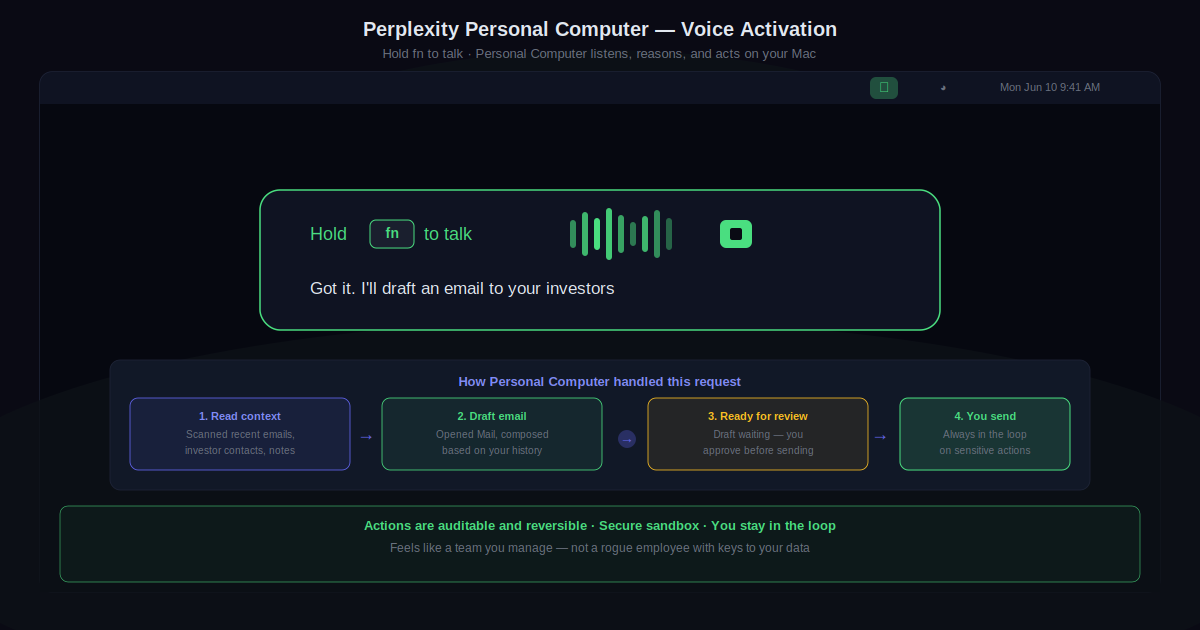
The voice activation path is worth noting too. Hold the fn key to talk. Personal Computer listens, interprets the objective, and carries out actions on your Mac. Drafting an email to investors. Sorting a chaotic Downloads folder into organized project folders. Comparing a local document against web-sourced information to help you reach a decision. These are the kinds of tasks that used to require you to manage every step manually.
Voice Control and Continuous Workflows
One of the more striking demos is the voice interaction. Hold fn, speak your objective, and Personal Computer responds with a plan and executes it. “Got it. I’ll draft an email to your investors.” That response comes from a system that has already looked at your context, identified what is relevant, and started working.
The word “continuous” in Perplexity’s description is deliberate. These are not one-shot tasks. Personal Computer can maintain workflows over time, handle follow-up steps, and keep working even when you are not actively supervising. That is a meaningful difference from most AI tools that operate in single-prompt, single-response cycles.
Control, Security, and Staying in the Loop
A system that acts on your behalf raises obvious questions about what it can touch and whether you can undo it. Perplexity’s answer is auditable, reversible actions in a secure sandbox. Files are created in an isolated environment. Actions are visible. You can step in at any point.
Perplexity frames this well: it should feel like a team you manage, not a rogue employee with access to everything. That framing matters. The goal is not to hand over control it is to extend what you can accomplish without having to personally execute every step. You stay in the loop on anything sensitive. The repetitive and the mechanical get delegated.
What This Means for Mac Users
Personal Computer is currently rolling out on Mac. The combination of local file access, native app integration, and web orchestration in a single system is genuinely new territory for a mainstream AI product. Most AI tools operate in isolation from your local environment. This one treats your machine as the workspace.
For anyone running a Mac mini as a home server or always-on machine, the 24/7 availability use case is particularly interesting. The ability to trigger workflows remotely and return to completed work shifts what a personal computer is actually for — not a device you operate, but a system that operates on your behalf.
https://www.perplexity.ai/hub/blog/personal-computer-is-here