Every team using Claude Code eventually builds the same thing: some combination of cron jobs, infrastructure glue, and MCP server configuration to run automations on a schedule or in response to events. It works, but it is a tax. The automation requires maintenance. It depends on a machine staying online. And it sits outside the tool it is supposed to be extending.
Anthropic just removed that tax. Claude Code routines, now in research preview, let you configure an automation once — a prompt, a repo, and your connectors — and then trigger it on a schedule, via an API call, or in response to a GitHub event. Routines run on Claude Code’s web infrastructure. Your laptop being open is irrelevant.
Three Ways to Trigger Claude Code Routines
Routines support three trigger types, each covering a different part of the development automation surface.
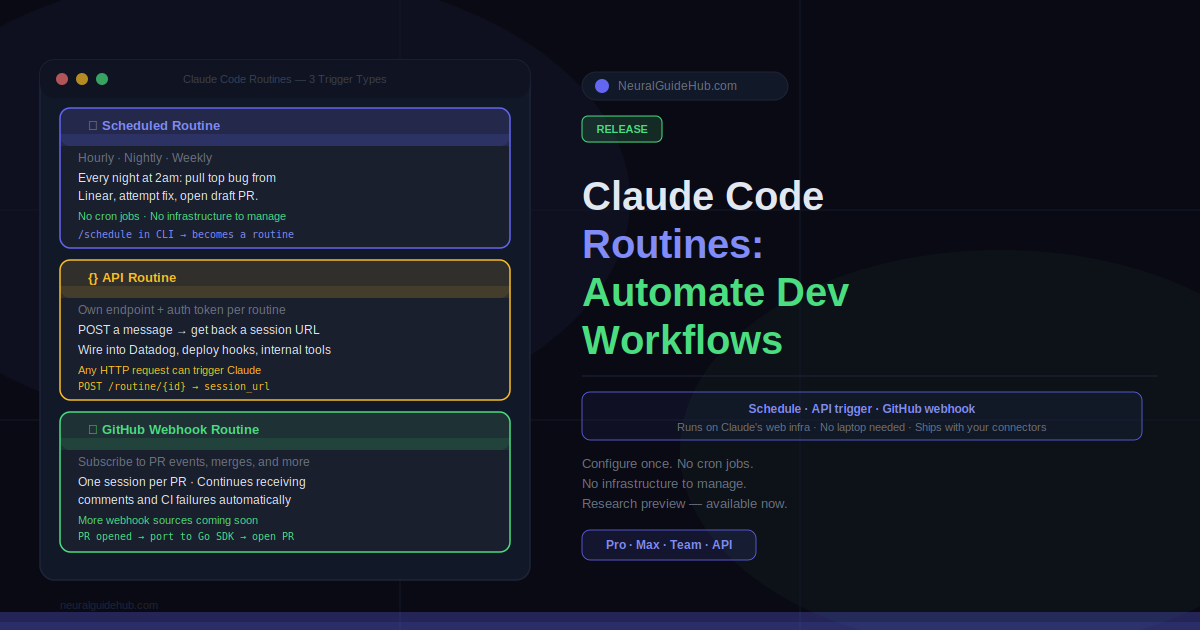
Scheduled routines run on a cadence you define: hourly, nightly, or weekly. A common pattern is a nightly job that pulls the top bug from Linear, attempts a fix, and opens a draft PR. If you have been using /schedule in the CLI, those tasks have automatically become scheduled routines.
API routines give every routine its own endpoint and auth token. POST a message, get back a session URL. This means you can wire Claude Code into alerting systems, deploy hooks, or internal tooling anywhere you can make an HTTP request. One pattern: point Datadog at the endpoint, and before on-call even opens the page, Claude has pulled the trace, correlated it with recent deployments, and drafted a first response.
Webhook routines, starting with GitHub, let you subscribe a routine to fire on repository events. Claude creates a new session for every PR matching your filters and continues feeding updates from that PR — comments, CI failures — back into the same session. Anthropic plans to expand webhook sources beyond GitHub in future updates.
What Teams Are Actually Building with Claude Code Routines
Early users have settled into a few recurring patterns worth knowing about.
On the scheduled side: backlog management (triage new issues nightly, label, assign, post a summary to Slack) and docs drift detection (scan merged PRs weekly, flag docs referencing changed APIs, open update PRs). Both are the kind of work that accumulates invisibly and rarely gets done consistently without automation.
On the API trigger side: deploy verification is a strong use case. The CD pipeline posts after each deploy, Claude runs smoke checks against the new build, scans error logs for regressions, and posts a go/no-go to the release channel. Feedback resolution is another: a docs feedback widget posts a report, Claude opens a session against the relevant repo with the issue in context, and drafts the change.
The GitHub webhook pattern that stands out most: library porting. Every PR merged to a Python SDK triggers a routine that ports the change to the parallel Go SDK and opens a matching PR. That is a task that typically requires a developer to remember to do it. With routines, it happens automatically on every merge.
How Claude Code Routines Fit Into Existing Workflows
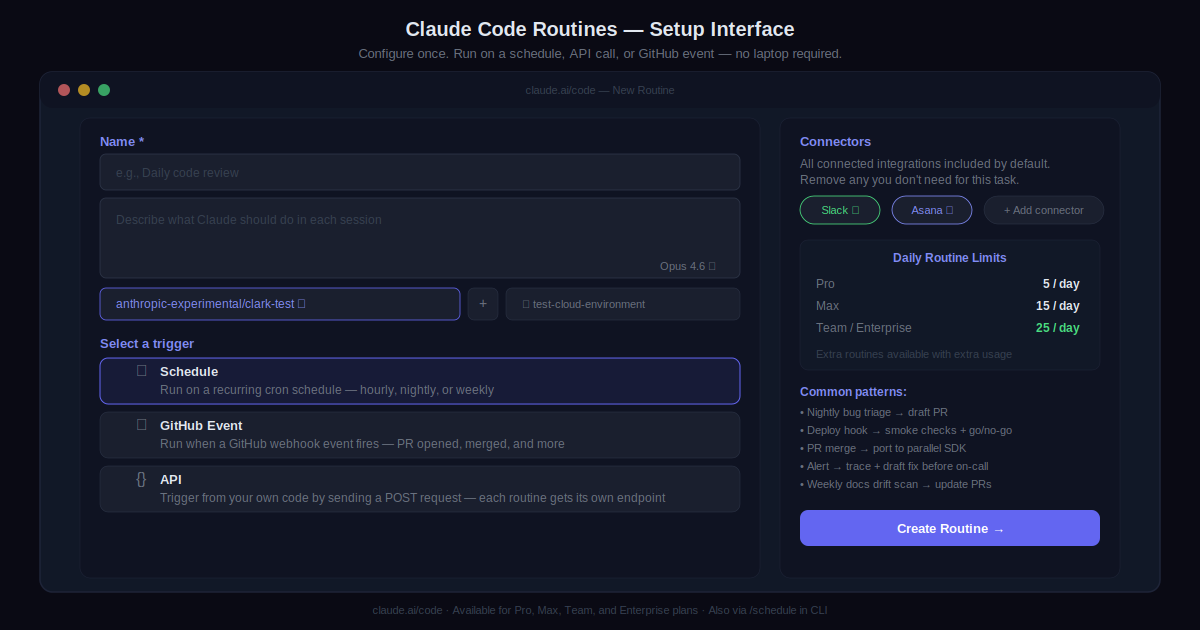
Routines ship with access to your repos and your existing connectors, so there is no separate integration step. Configure the routine, set the trigger, and the connectors you have already set up — Slack, Asana, GitHub, whatever is in your stack — are available to it.
Usage draws down subscription limits the same way interactive sessions do. Daily limits apply per plan: Pro users can run up to 5 routines per day, Max up to 15, and Team and Enterprise up to 25. Extra routines beyond those limits are available with additional usage.
Routines are available now for Claude Code users on Pro, Max, Team, and Enterprise plans with Claude Code on the web enabled. Head to claude.ai/code to create your first routine, or type /schedule in the CLI.